
A thorough article can become long without becoming easy to use. Before deleting useful explanation, give headings, lists and tables distinct jobs. Readers should be able to locate an answer without studying every paragraph.
Smart Agent Blog includes these blocks in its editor. Here is how to choose between them when building a product-selection article.
Start with the questions the article answers
For a fictional commuter bag guide, the sequence might be size, carrying style, storage and care. This follows a buying decision instead of the order in which the writer remembered the features.
A heading is a signpost. “Can you reach small items quickly?” tells readers more than “Useful features.” Make sure the paragraph below actually answers the heading.
Choose a format that matches the relationship
| Information | Useful format | Watch for |
|---|---|---|
| Reasons and background | Paragraphs | Preserve the argument between sentences. |
| Equivalent features | Bulleted list | Keep items at the same level of detail. |
| Ordered actions | Numbered list | Avoid several unrelated actions in one step. |
| Differences between products | Table | Compare matching criteria. |
| A new subject | Heading | Match the answer below it. |
A list containing “lightweight,” “ships tomorrow” and “staff favorite” mixes specifications, delivery conditions and opinion. Separate these categories rather than making the reader work out their relationship.
Prepare comparable facts before making a table
If you compare two bags, provide the same fields for both: verified dimensions, weight and storage details, for example. Do not fill a missing measurement with an estimate. Identify unverified information rather than hiding the gap.
Follow the table with a sentence explaining how to use it: someone carrying more items should check internal dimensions, while someone walking for longer may also care about weight. The table does not automatically explain the trade-off.
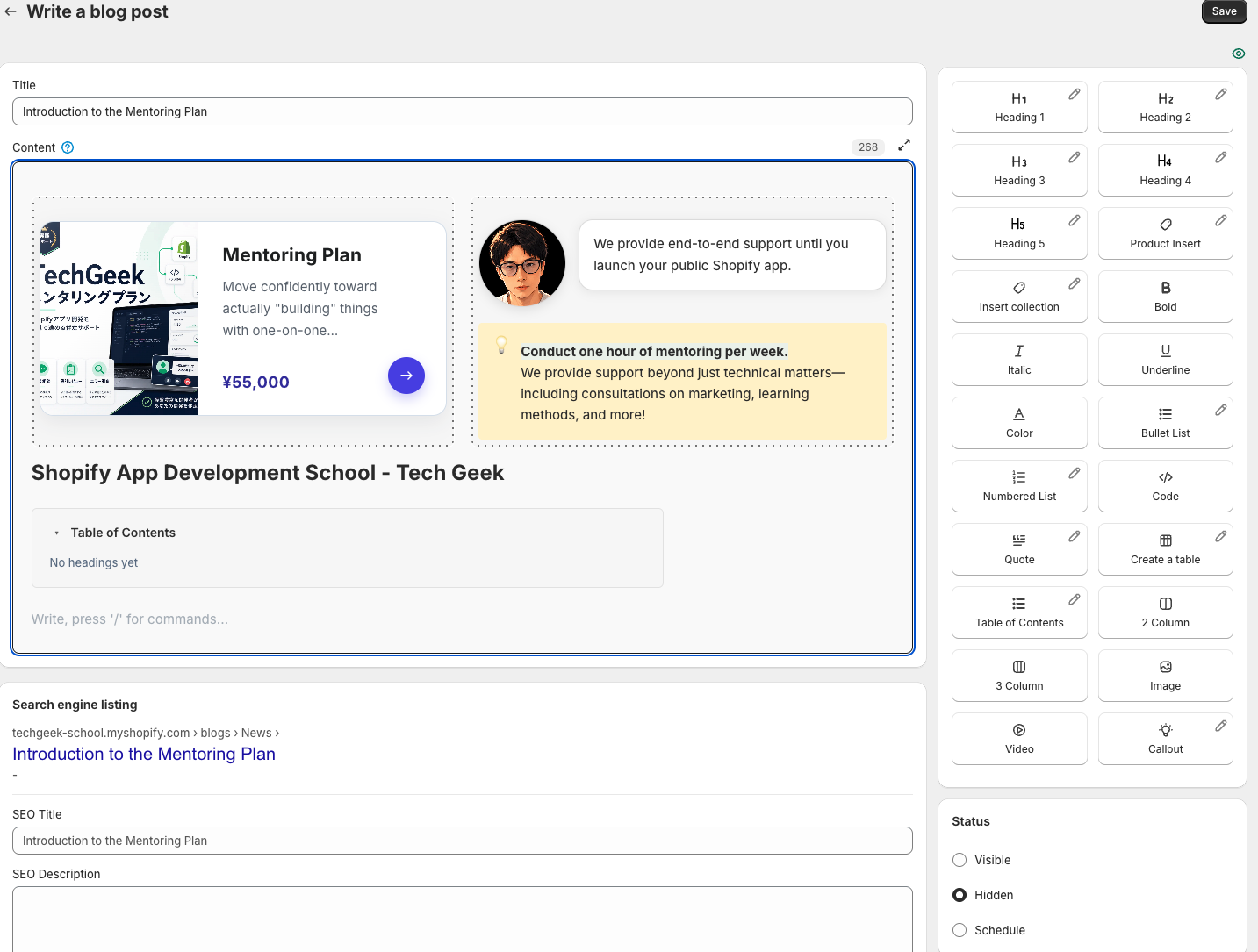
Build the structure in Smart Agent Blog
Type “/” on a new line to choose headings, lists or a table. Use heading 2 for main topics and heading 3 for supporting topics. If you insert a table of contents, headings 2 through 4 are included.
After moving blocks, recheck phrases such as “above” and “the next step.” A paragraph can become misleading even when none of its words changed. Confirm that comparisons use the same units and conditions throughout the post.
Read only the headings once
Return to the beginning and see whether the headings describe a coherent path from question to answer. Then check the table and lists on a phone. The goal is not to make a long article look short; it is to deliver the needed explanation in a usable order. For the full sequence from idea to published post, see how to write a Shopify blog post.
Read the detailed steps in the user guide
Related reading: How to Add a Table of Contents to Shopify Blog Posts: 3 Methods Compared