

Scroll depth can help you decide where to inspect a long article. It does not tell you the reason a reader stopped.
Smart Agent Blog reports the share of measured views reaching 25%, 50%, 75% and 90% of the page. Treat those positions as starting points for a reading check.
Inspect the content around a drop
If fewer readers move from 50% to 75%, inspect that part of the article. Repetition, unexplained terminology or a difficult table may be worth reviewing. But readers may also have found the answer at the halfway point. A drop is not proof of a bad paragraph.
| Pattern | What to inspect |
|---|---|
| Early departure | Does the opening address the title’s question? |
| Drop after a long explanation | Is it repetitive or missing prerequisites? |
| Drop near a table or image | Can it be understood on a phone? |
| Drop after the conclusion | Has the reader already achieved the purpose? |
The same percentage does not necessarily correspond to the same paragraph on every screen. Images also contribute to page height. Check the actual layout instead of locating a sentence from the percentage alone.
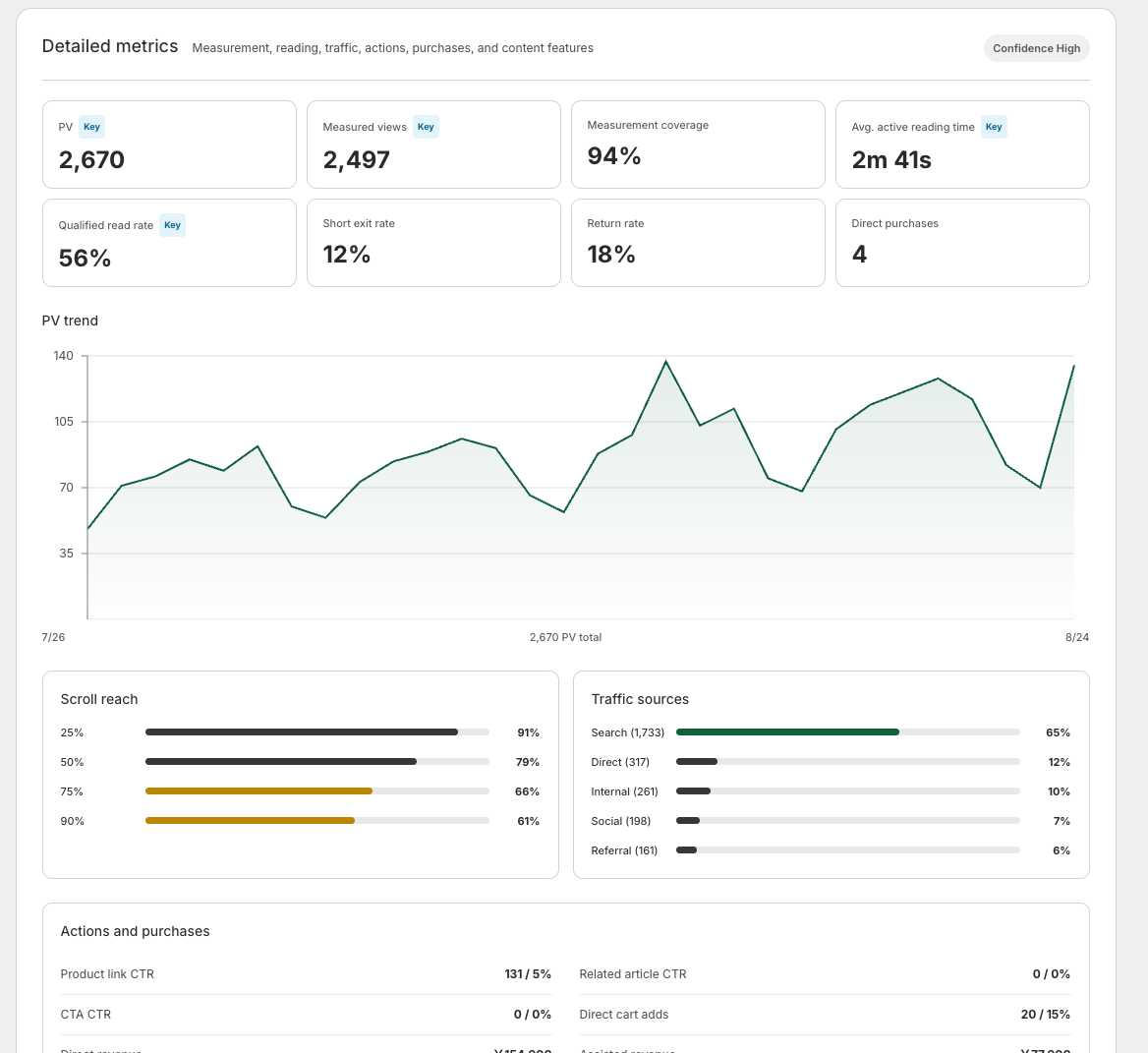
Read the related metrics
Open article analytics, check the reporting period and measurement status, then inspect scroll depth alongside active reading time and effective completion.
Effective completion includes a time condition, so it need not equal 90% reach. Quickly moving to the bottom and spending time reading are different behaviors.
Change one section with a stated reason
For a fictional size-comparison article, your hypothesis might be that readers do not understand how the measurements were taken. Add a short explanation before the table. Cutting content is not always the answer; sometimes a missing prerequisite makes the article harder to use.
Record the date, location and reason for the change. Adding images changes page height, so a later 50% measurement can refer to different content. Avoid treating the two percentages as directly equivalent without checking the layout.
Do not optimize for scrolling alone
The reader should get the answer and reach a useful product or related article when needed. Hiding the conclusion at the bottom to encourage scrolling makes that harder. Start by comparing one article’s depth pattern with the actual explanation, then make a change that helps the reader accomplish the task.
Reading behavior is only half the picture; where readers come from matters too. See Shopify blog marketing.
Read the detailed steps in the user guide
Related reading: Seven checks for a more readable mobile blog