

A metric rising after an edit does not prove the edit caused the change. You may also have promoted the post on social media, changed stock availability or entered a busier season.
Use a small change record alongside Smart Agent Blog analytics to make the comparison more useful.
Choose one hypothesis and a relevant metric
Write why the change should help: adding context before a table may make the comparison understandable; a clearer product-link label may explain the destination. Choose a reading or action metric related to that purpose.
Changing the title, body, products and imagery together makes attribution difficult. Correct factual errors promptly, but keep discretionary experiments focused where possible.
Keep a comparison record
| Field | What to record |
|---|---|
| Date | When the edit became visible |
| Change | The specific heading, paragraph or link |
| Purpose | The reader problem addressed |
| Metric | Counts, rates and their denominators |
| Other conditions | Social posts, ads, sales, stock and season |
| Period | Dates and any overlap |
An editorial note or spreadsheet is enough. This workflow does not assume the app has an experiment-management or automatic before-and-after comparison feature.
Understand the rolling 30-day window
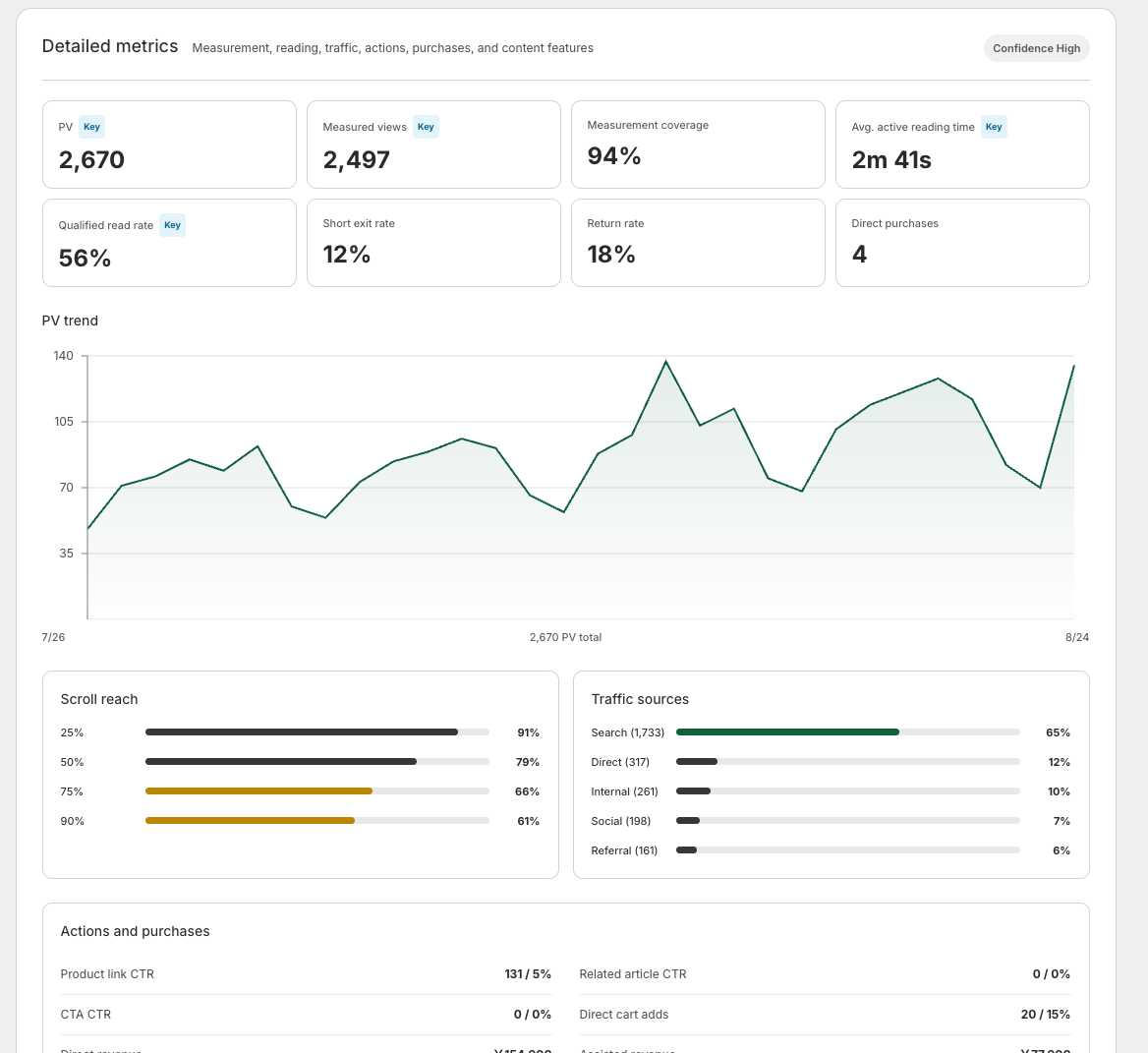
Article analytics covers the finalized 30 days through yesterday. The day after an edit, most of the window still describes the previous version. Reanalysis rereads the article and recalculates the same recent period; it does not create a post-edit-only result.
Record the baseline with its dates, then record the dates of later readings. Do not treat overlapping windows as independent before-and-after periods. Even non-overlapping periods need checks for seasonal and traffic differences.
Consider alternative explanations
In a fictional example, more product clicks may simply reflect more visits. Inspect counts and rates together, along with traffic sources and measurement coverage. A different audience prevents a confident claim that the edit alone produced the change.
Likewise, no short-term movement does not prove the work was useless. Defer a conclusion when the evidence is limited.
Record what you know and what remains unclear
“The table is easier to read, but its metric impact is not yet clear” is more useful than a forced success/failure label. Another conclusion might be that click share stayed similar while traffic grew. Use that distinction to choose one next change and continue the review cycle.
Article-level edits sit inside a wider plan. For how traffic sources fit together, see Shopify blog marketing.
Read the detailed steps in the user guide
Related reading: Should you change a post that is still collecting data?