
What you will learn
On this pageContentsCloseOpen
If you last looked at Shopify Fulfillment Network when Shopify sold its logistics business, the mental model you are carrying is out of date. SFN is not a warehouse network Shopify runs, and as of September 2026 it is not a Flexport integration either.
It is a broker. You install a free app, answer questions about your business, get a recommendation, and are handed to a third-party logistics provider you then negotiate with directly. The Shopify Fulfillment Network app is published by Shopify, launched February 9, 2024, and sits at 3.5 stars across four reviews.
Four reviews, for a first-party app in one of the highest-stakes decisions a growing store makes.
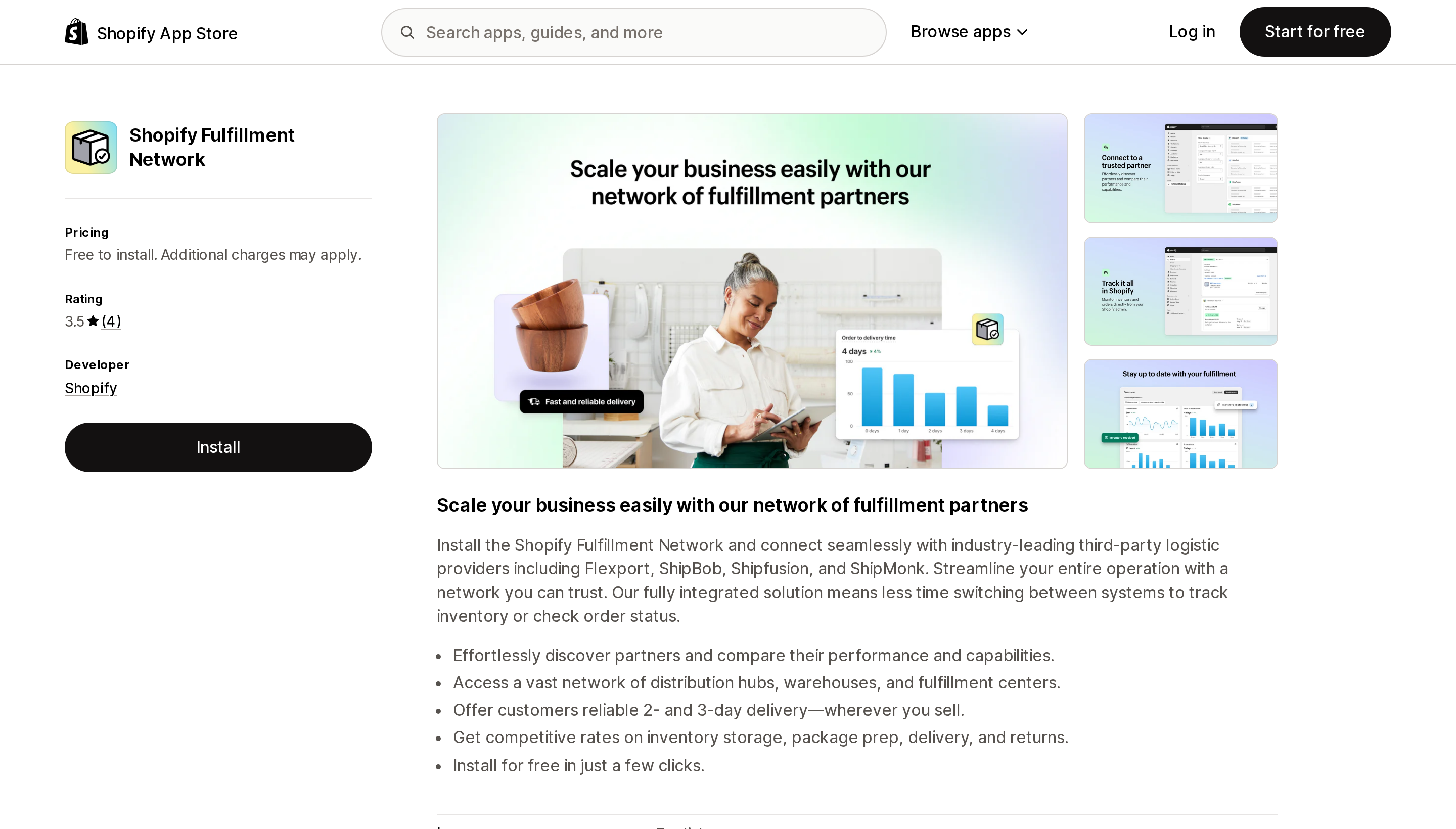
Source: Shopify App Store (Shopify Fulfillment Network), retrieved September 2, 2026
The two partner lists do not match
This is the finding that should make you read both pages before you commit to anything.
The App Store listing's description says the app connects you with "industry-leading third-party logistic providers including Flexport, ShipBob, Shipfusion, and ShipMonk."
The Help Center page titled Fulfillment Network logistics partners says something different. It separates Flexport — "Flexport is integrated directly into the Shopify admin. Because Flexport isn't an app, there are some additional setup steps" — from everything else, and then gives this list of partner apps currently available to install through Fulfillment Network:
- Amazon MCF and Buy with Prime
- Bigblue
- DHL Fulfillment
- GoBolt
- Mayple
- Shipfusion
- ShipBob
Compare the two. Shipfusion and ShipBob appear on both. ShipMonk is named on the App Store listing and does not appear in the help center list. Amazon MCF and Buy with Prime, Bigblue, DHL Fulfillment, GoBolt, and Mayple appear in the help center and are not named on the listing.
The word "including" in the listing copy is doing a lot of work, and marketing copy is not documentation. But if you are choosing a fulfillment partner on the strength of "it's in Shopify Fulfillment Network," check which page you read that on, and confirm with the 3PL directly.
Flexport is a different kind of thing
The help center is explicit that Flexport is not an app. It is integrated into the Shopify admin directly, which means:
- Setup is a "Connect your store" flow rather than an app install. Every other partner is "Install app."
- Flexport gets a location in your admin named
SFN-Flexport. - You have to add shipping rates to that location yourself. Shopify documents this as a step you perform.
- Once you have two or more active locations, order routing applies.
That last point catches people. Order routing requires two or more active locations, and Shopify's documented default strategy applies three rules in sequence: minimize split fulfillments by choosing locations that can fulfill all items, stay within the destination market when possible, and ship from the closest location. If you keep your own warehouse running alongside a 3PL, orders will start distributing between them according to those rules, not according to whichever one you think is cheaper. Custom rules and location metafields — warehouse capacity, fulfillment speed — exist for exactly this reason, and configuring them is your job, not the 3PL's.
Three constraints stated plainly in Shopify's documentation
United States fulfillment only. The considerations section of the getting-started page states that the app "is available only to businesses fulfilling out of the United States. Your business can be based outside of the United States, but you'll be responsible for sending your inventory into the United States for fulfillment." If your growth problem is European or Asian delivery times, this app is not the answer to it, regardless of where your company is registered.
Barcodes and SKUs first. The checklist opens with ensuring your products have barcodes and SKUs. This is not a formality — a 3PL receiving unbarcoded inventory is a receiving problem that becomes your problem. Do this before you contact anyone.
Your 3PL's warehouses may create tax nexus. From the billing page, in Shopify's own words:
If you sell to customers in the United States, then a 3PL's fulfillment locations might constitute your business having physical nexus for the purpose of tax liability.
This is the sentence most fulfillment comparisons never print. Moving your inventory into a 3PL's network can put you into sales tax registration and filing obligations in states you have never sold from before, and the distributed-inventory model that gives you two-day delivery is precisely the model that spreads your physical presence around. Shopify's page ends by telling you to consult a tax professional, which is the correct advice and also an admission that the app cannot solve this for you.
What the app actually costs, and what it does not tell you
The app is free to install. The pricing block reads: "No up-front costs. End-to-end fulfillment priced per item. Each product is priced by weight."
That is the entire published pricing model, and it describes an approach rather than a number. The billing help page confirms the structure — no charge for the app, 3PLs charge for accepting, storing, and fulfilling inventory, and you should refer to your 3PL's own billing guides. There is no rate card anywhere in Shopify's documentation.
Which means the comparison you actually need to run happens outside Shopify entirely: receiving fees, storage per pallet or bin per month, pick and pack per unit, packaging surcharges, returns processing, minimums, and exit terms.
That last one deserves emphasis. One review on the app listing, from Forester Nutrition in the United Kingdom, dated July 10, 2025 after twelve months of use, reports being told about a $500 per month minimum spend introduced after signup with the shortfall charged as a fee, and a $460 charge to dispose of remaining stock on exit. That is a single review and we cannot verify the contractual details from Shopify's or the 3PL's published materials. But minimums and exit fees are standard instruments in third-party logistics, and neither appears anywhere in Shopify's documentation of this app.
Ask about both in writing before you ship a single pallet.
The data access is unusually broad
Shopify's own app requests a wider scope than most third-party apps in this category:
All order history, returns, shipping information, assigned fulfillment, merchant managed fulfillment, third-party fulfillment, Delivery Promises, and the Shop Promise program. On top of that: customer data and customer data erasure, inventory, products, collections, store analytics, staff accounts and staff account private data, billing, locations, Shopify Markets settings, and installed apps.
Delivery Promises and Shop Promise are the interesting entries. Connecting a 3PL through this app is also connecting it to the machinery that decides what delivery date shows on your product pages — that is part of the value, and it is also a dependency worth understanding before you switch providers later.
How to decide
You fulfill from the US, do enough volume to interest a 3PL, and want a shortlist fast. Install the app, run the recommendation tool, and treat the output as a lead list rather than a decision. Then negotiate with each 3PL directly on receiving, storage, pick and pack, minimums, and exit terms.
You fulfill from outside the US. The app is documented as unavailable to you unless you are willing to send inventory into the United States. Go to the 3PL apps directly instead.
You already know which 3PL you want, and it publishes its own Shopify app. You do not need Fulfillment Network to install ShipBob, Shipfusion, DHL Fulfillment, Bigblue, GoBolt, or Amazon MCF. The app is a discovery layer. Skip it if you have already discovered.
You want Flexport specifically. That path runs through the admin rather than an app install, creates an SFN-Flexport location, and requires you to add shipping rates to that location and review your order routing rules afterwards.
You are keeping your own warehouse running too. Configure order routing before your first 3PL order lands, not after. The default strategy will start splitting your orders the moment your second location goes active.
Your sales tax situation is already complicated. Get the nexus question answered before you send inventory, not after your first filing deadline in a new state.
What we could not confirm
Whether ShipMonk is currently a Fulfillment Network partner — it is named on the App Store listing and absent from the help center partner list. What Mayple, better known outside logistics, provides inside this program. Any actual fulfillment rates, none of which Shopify publishes. And the contractual specifics behind the minimum-spend and disposal charges described in the single review cited above.
Researched September 2, 2026, from the US (English) Shopify App Store and the English Shopify Help Center. All charges are billed in USD.
Sources
- Shopify Help Center — Fulfillment Network
- Shopify Help Center — Getting started with the Fulfillment Network app
- Shopify Help Center — Fulfillment Network logistics partners
- Shopify Help Center — Billing, pricing, and taxes for the Fulfillment Network app
- Shopify Help Center — Order routing
- Shopify App Store — Shopify Fulfillment Network
Shopify's admin address validation is on by default, free, on every plan, and supports the US. Checkout-time validation is one toggle away. Shopify's own documentation then warns that running a third-party address validation app at the same time can create conflicting suggestions and reduce checkout conversion — you are meant to pick one. That reframes the whole category: apps are not there to duplicate deliverability checking, they are there to enforce policy Shopify's validator does not enforce, like blocking PO boxes or requiring an apartment number. We priced four real apps from the US App Store on September 2, 2026, spanning $4.99/month flat, $0.04 per order, and one that requires a separate subscription billed outside Shopify.