
What you will learn
On this pageContentsCloseOpen
Search "Shopify virtual waiting room" and you will find vendors describing what Shopify does during a traffic spike. Read Shopify's own documentation and you will find something narrower, and much less reassuring.
The Shopify Help Center has a page called Flash sales. It is Shopify's official guidance for the exact scenario a waiting room exists to solve — "tens of thousands of customers competing for inventory, with stock selling out in minutes each time it's restocked." The word "queue" does not appear on it. Neither does "waiting room." What it tells you to do instead is deactivate your shipping apps, deactivate all but one fulfillment location, switch to manual payment capture, and build a password page you can flip on if the sale goes wrong.
That is the platform baseline. Everything else in this article is you buying your way past it.
What Shopify actually does on its own during a spike
Three distinct mechanisms get conflated in almost every merchant conversation about this. They do different things.
The Storefront API checkout-level throttle. This is real, and it is the thing people mean when they say "Shopify has a queue." Shopify's API limits page states: "Shopify limits the amount of checkouts that can be created on the Storefront API per minute. If an API client exceeds this throttle, then a 200 Throttled error response is returned." Shopify's advice is that you "implement a request queue with an exponential backoff algorithm."
Read that carefully. The throttle applies to the Storefront API — the headless path. What it returns is an error code to your application, which then has to decide what to show. It is not a shopper-facing waiting room, it does not hold anyone's place in line, and it is not first-come-first-served. Shopify does not publish the numeric rate — not on the API limits page, and not in the changelog entry that introduced it effective August 4, 2020. If you are on a Liquid online store rather than a headless build, this mechanism is not the one governing your drop, and nothing in Shopify's public documentation describes an equivalent shopper-facing queue for the online store.
Storefront rate limits generally. The same page says the Storefront API's rate-limiting method is "None," and that "Requests from real buyers aren't subject to a fixed request-per-minute limit." Shopify's position is that the Storefront API "scales to support surges in buyer traffic or your largest flash sale." So the platform is not going to protect you from your own traffic — it is going to serve it.
Bot protection. Shopify does rate-limit automated traffic hitting both the Storefront API and Shopify-hosted online store pages, with the strictest limits reserved for "unsigned, anonymous bots." Bot operators who want higher limits are directed to sign their requests with Web Bot Auth. Malicious requests get a 430 Shopify Security Rejection. This is genuinely useful, and it is genuinely not a queue. It classifies traffic; it does not order it or meter it against your inventory.
And separately from all three: the cart does not reserve inventory. Adding to cart on Shopify claims nothing. That is the mechanic that produces the "it was in my cart and then it wasn't" complaints after every drop, and no amount of traffic control fixes it on its own.
So the honest summary is: Shopify will keep serving pages, will throttle bots, will throttle headless checkout creation without telling you the number, and will not put your customers in a line.
The App Store category is almost empty, and that's the finding
This is where a comparison article normally lists seven apps. There aren't seven.
Searching the App Store on September 2, 2026 turned up exactly one genuine virtual-waiting-room listing: CrowdHandler Waiting Room. It launched July 28, 2025 and has 1 review.
The two other established names in this category — Queue-it and Queue-Fair — are not App Store listings. They are external SaaS platforms you integrate yourself. That distinction is not a technicality; it determines your billing path, your install path, and who owns the code sitting in front of your storefront.
It also matters that several apps merchants find while searching for this are solving a different problem. Wait.li ‑ Viral Waiting Lists is filed under Pre-orders and is a referral-based signup list — customers register interest before launch and get activated in batches. That's a marketing waitlist, and its listing describes no traffic-control features at all. A waitlist collects people before the sale; a waiting room orders people during it. If you buy the first thinking you're getting the second, you will find out at the worst possible moment.
The axis that actually matters: how the queue is enforced
Every one of these products shows a shopper a branded page with a position number. What differs is where that page is imposed.
Theme-level (JavaScript / app embed). The queue lives in your storefront. A script on the protected pages checks whether the visitor holds a valid token and redirects them if not. Fast to install, no DNS change, scopeable to individual products. The weakness is inherent: the check runs in the browser, so anyone who skips the page skips the check — which is why vendors using this approach bolt on separate cart and checkout validation.
Edge or DNS-level (proxy). Traffic is routed through the vendor before it reaches Shopify, so nothing arrives at your store without passing the gate. Stronger, and on Shopify more involved, because you are inserting a layer in front of a hosted platform you do not control.
Normally only the second one makes "protect the checkout" possible. On Shopify, one vendor has found a third route.
CrowdHandler Waiting Room
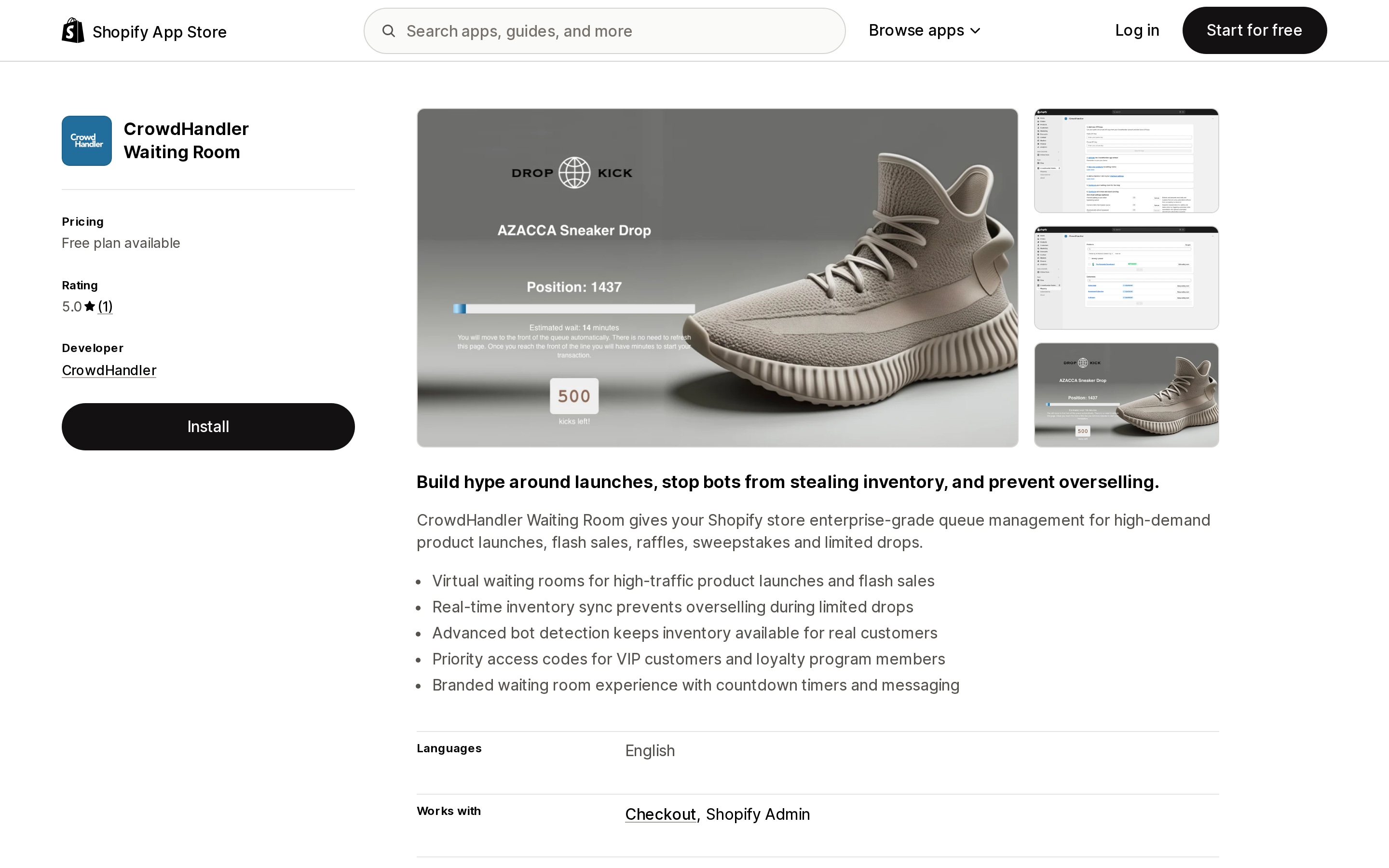
Source: CrowdHandler Waiting Room on the Shopify App Store, captured September 2, 2026.
CrowdHandler is a UK-based waiting-room vendor (Cheltenham, England on its App Store listing) that also documents DNS, Cloudflare, AWS CloudFront, Akamai, WordPress and server-side API integrations. The Shopify app is a packaged version of that platform, with pricing simplified into three tiers.
Setup, per CrowdHandler's own Shopify flash sale guide, is: install the app, enable the app embed in your theme, then use a product mapper in the Shopify admin to mark individual products or entire collections as protected. So the enforcement is theme-level JavaScript — but CrowdHandler layers two Shopify-native mechanisms on top of it.
The first is a Cart Validator, which the docs describe as preventing users from adding protected products to their cart "if they haven't properly gone through your waiting room." The second is a checkout rule: you go into your Shopify checkout settings, add CrowdHandler's cart-checkout-validation rule, and uncheck "Allow all customers to complete checkout." That is the piece that makes this more than a redirect script. It is consistent with the app's declared data access, which includes viewing Shopify Functions cart and checkout validations.
At the Enterprise tier there is also automatic order return and refund for orders that bypassed the room — cancelling the sale after the fact rather than preventing it.
Timing model. You set a queue activation time, plus a countdown period of 15 minutes to 24 hours before it. During the countdown, shoppers are held off the product pages but are not issued a position. Positions are assigned when the queue activates. CrowdHandler's stated purpose for this is fairness — it removes the advantage of camping on the URL early — and practically, it gives you a window to publish products and send announcement emails while nobody can reach them.
Inventory awareness. Optional stock syncing makes the room "Shopify inventory aware," driving one-in-one-out automatically and showing remaining inventory and sold-out states in the room itself. Without it, you set a throughput rate by hand; CrowdHandler's rule of thumb in its own guide is stock divided by ten (1,000 units → 100 users per minute).
Pricing (USD, billed through your Shopify invoice). Three tiers, and the units are throughput and concurrent capacity, not visitors:
- Lite — Free. 1 waiting room, 1 store, 100 waiting customers, 10 users/minute, best-efforts support. CrowdHandler's docs are candid that this is for testing and for "maintaining your configurations between flash sales."
- Plus — $1,500/month. 5 rooms, 2 stores, 20,000 waiting customers, 300/minute, 8-hour support response, priority access codes.
- Enterprise — $5,600/month. 20 rooms, 5 stores, 100,000 waiting customers, 1,000/minute, 1-hour support response, advanced security (IP intelligence, anomaly detection, automatic order protection).
You can move between tiers from the Shopify admin, and configurations survive a downgrade — which is the intended pattern: sit on Lite between drops, upgrade for the event.
Known constraints. The docs state plainly that anti-cheat "is incompatible with branded accelerated checkout buttons displayed on product pages" — CrowdHandler's JavaScript hides the standard accelerated options, and non-standard payment buttons may need to be disabled for the sale. There is also a cleanup step: if you disable the room but leave the mapper tags on your products while stock remains, shoppers cannot add to cart at all. Captcha requires your own reCAPTCHA, hCaptcha or ALTCHA account.
Review evidence. One review, five stars, from a merchant in Norway (October 20, 2025), who wrote that they "needed a queue system for Shopify quickly" and that the vendor's team helped set up before launch and monitored during it. One review is one review — it tells you a launch went well and that hands-on support exists, and nothing about behavior at scale across many stores.
Queue-it
Queue-it is a dedicated traffic-orchestration vendor, and it is not on the Shopify App Store. Its Shopify page is gated behind a "Get early access" form as of September 2, 2026. Today you integrate it the way any other platform does: Queue-it lists 20+ client-side, server-side and edge connectors, naming Akamai, CloudFront, Cloudflare, ASP.NET, PHP and JavaScript.
What makes Queue-it worth understanding even without a listing is that it is explicit about the two access models, and it is the only one of these three that publishes a direct comparison against Shopify's own behavior. Its Shopify page contrasts "Shopify's checkout throttle" — which it characterizes as offering no control over when or how it activates, no fair-access mechanism, limited branding and no transparency for visitors — against granular activation control, FIFO and randomized access, full customization, and live wait information.
That FIFO-versus-randomized distinction is the one merchants most often don't know they have to make. Queue-it's Scheduled waiting room collects early arrivals on a countdown page and then randomizes them at sale start; separately it runs true first-in-first-out, admitting visitors "in the exact order they arrived." These produce very different fairness stories. FIFO rewards being early, which rewards whoever automates being early. A randomized draw among everyone who showed up before the bell removes that incentive entirely. If you sell to a bot-heavy market, that choice is a strategy decision, not a settings toggle.
Pricing (USD). Queue-it Essentials, its small-business tier, is priced per event, which is the unit nobody else here uses:
- 1 yearly event: from $1,499/event
- 2 yearly events: from $1,349/event (from $2,699/year)
- 3 yearly events: from $1,276/event (from $3,839/year)
- Unlimited events: from $5,999/year (from $499/month), billed annually
All bundles include 5,000 visitors in queue per event, scheduled waiting rooms, 20+ connectors, adjustable throughput, FIFO, 50+ languages, unlimited admin accounts, and 24/5 technical support. 24/7 peak protection, bot and abuse management, "your turn" email notifications, extra rooms and extra queue capacity are all add-ons. Enterprise pricing is quoted separately.
Queue-Fair
Queue-Fair is also not on the Shopify App Store, and it publishes no prices at all. Its pricing page says so outright: "We don't display specific numbers on our website," because plans span one-off events, seasonal use, pay-as-you-go and flat rate. The model it names as most popular is usage pricing — priced by "the number of visitors to your site and how often they are queued" — with flat rate available for sites needing 24-hour protection. There is a Free Tier. The company also offers a 25% discount on "any comparable surge protection quote you may receive."
Integration on Shopify is the client-side JavaScript adapter: a single tag added to your pages, with queues and activation rules configured in the Queue-Fair Portal. Queue-Fair publishes server-side and edge adapters for Node, PHP, Python, Ruby, Java, Go, .NET, Cloudflare, Google Cloud and Azure, plus a purpose-built Squarespace adapter — but there is no Shopify-specific adapter, no Shopify app, and no Shopify-specific documentation that this research could find. Shopify is not mentioned on the ecommerce page Queue-Fair publishes.
For a Shopify merchant that means: it works, via the generic JS route, with no Shopify-native cart or checkout enforcement of the kind CrowdHandler ships. Whether Queue-Fair can gate a Shopify checkout is not stated in the vendor's official documentation.
Comparison
| CrowdHandler Waiting Room | Queue-it | Queue-Fair | |
|---|---|---|---|
| Shopify App Store listing | Yes (launched July 28, 2025) | No — "early access" signup | No |
| Enforcement on Shopify | Theme app embed (JavaScript) + product/collection mapper | Client, server or edge connectors (20+) | Client-side JavaScript adapter |
| Protects checkout itself | Yes — Cart Validator + cart-checkout-validation checkout rule | Not stated for Shopify specifically; triggers can protect add-to-cart and login | Not stated in official documentation |
| Access order | Countdown then positions at activation; one-in-one-out | FIFO, or randomized draw at sale start | Not stated in official documentation |
| Inventory-aware | Yes — optional Shopify stock syncing drives one-in-one-out | Documents preventing overselling by controlling access when inventory runs low | Not stated in official documentation |
| Bot handling | Captcha (bring your own), fingerprinting, IP firewall; IP intelligence, anomaly detection and auto-refund at Enterprise | Bots & Abuse Management (add-on on Essentials) | Not verified for this article |
| Pricing unit | Per month, by concurrent capacity and throughput | Per event, or per year for unlimited events | Per queued visitor (usage), or flat rate |
| Entry price (USD) | Free (100 waiting, 10/min); $1,500/mo | From $1,499/event; $5,999/yr unlimited | Free Tier; paid pricing not published |
| Billing path | Shopify invoice | Direct with vendor | Direct with vendor |
| Rating / reviews | 5.0 (1) | n/a — no listing | n/a — no listing |
The pricing units do not convert
This is the trap. Three vendors, three incommensurable meters:
- CrowdHandler charges per month for concurrent capacity and admission rate. What you're buying is "20,000 people can be waiting and 300 per minute get in."
- Queue-it Essentials charges per event, with 5,000 visitors in queue per event. What you're buying is "one sale day."
- Queue-Fair charges per queued visitor. What you're buying is throughput volume over time.
You cannot rank these until you know two numbers about your own business: how many drops you run per year, and how many people show up at once. One big drop a year and the per-event model wins — $1,499 for the event against $1,500 for a month you'll use for a day. A drop every two weeks and the monthly or unlimited-annual model wins. Frequent small releases with a few hundred concurrent arrivals and a per-visitor meter may beat both. There is no universally cheaper option, only a cheaper option for your calendar.
One cost note that only applies to the app: CrowdHandler's Plus and Enterprise charges land on your Shopify invoice, which is the only one of the three where that's true.
How to decide
If you have never run a drop that broke anything, don't buy this yet. Work the Shopify flash sale checklist first — one fulfillment location, no carrier-calculated rates, manual payment capture, a stripped-down collection template, a password page ready. Several of those failures look like traffic problems and aren't. If you also need the sale to start unattended, that's a scheduling problem, not a queue problem.
If your problem is fairness and bots rather than site capacity, you need the enforcement to reach the cart and the checkout, not just the product page. On the App Store today that is CrowdHandler, because of the Cart Validator plus checkout rule combination. Budget for Enterprise if resellers have targeted you before — the automatic order return and refund feature is Enterprise-only, and so is anomaly detection. Also read the broader fraud tooling gaps before assuming a queue solves an abuse problem by itself.
If you run one or two big events a year, get a Queue-it Essentials quote before you sign a monthly contract anywhere. A per-event bundle at $1,499 is the right shape for that calendar, and the randomized-draw-at-sale-start option is something no App Store listing currently offers you.
If you want to test the mechanics for free before spending anything, CrowdHandler's Lite tier and Queue-Fair's Free Tier both exist. Lite's 100-customer, 10-per-minute ceiling makes it a rehearsal tool, which is exactly how CrowdHandler's own documentation frames it. Rehearse a week out, on a low-interest product, in a private browsing session.
Whatever you choose, test the teardown. CrowdHandler's guide contains a warning that generalizes to every product here: leave the enforcement on after the room is gone and shoppers cannot buy at all. The failure mode of a waiting room is not that it lets too many people in. It is that it silently keeps everyone out after you thought you were done.
Sources
- Flash sales — Shopify Help Center
- Shopify API limits — shopify.dev
- Storefront API checkout throttle — Shopify developer changelog
- CrowdHandler Waiting Room on the Shopify App Store
- Complete Guide: Planning and Executing a Flash Sale on Shopify Using CrowdHandler
- CrowdHandler Shopify App Pricing
- CrowdHandler Shopify App — Adding CrowdHandler to Checkout Rules
- Control peak traffic on your Shopify store — Queue-it
- Queue-it Essentials pricing
- Queue-Fair pricing
- Wait.li ‑ Viral Waiting Lists on the Shopify App Store
Prices, plan limits, ratings and review counts were read from the sources above on September 2, 2026. Queue-it's Shopify offering was in early access and Queue-Fair publishes no list prices, so both require a vendor quote.
Shop Pay Installments is free to activate, needs no app, and Shopify never publishes what it costs you — the rate is visible only inside your own admin. It also refuses Capital One and Chase credit cards, restricts monthly plans to debit cards only, excludes gift cards and subscriptions, and can't be turned off for individual products. Affirm can suspend your account for being password-protected, for having a non-English storefront, or for being primarily B2B. And Shopify's Getting paid page says disputes appear in your admin while its FAQ says they don't. If you fail the eligibility gates, the alternative is on-site messaging apps from Klarna, Afterpay, Sezzle, Zip, and PayPal — a category rated between 1.0 and 3.2 stars. Researched September 2, 2026.