

A product page can list dimensions and materials without showing how the item fits into someone’s life. A blog gives you room to explain a situation, a decision, or a real use case.
Rather than repeating the specification list, answer the questions a reader has before visiting the product page.
What you will learn
- How to turn features into decision-making information
- What to gather before requesting an AI draft
- How to connect a story to the relevant product
Choose one person and one situation
A commuter carrying documents and someone traveling light on a weekend need different information about the same bag. Decide which situation the article will address.
A focused theme does not reduce the product’s appeal. It gives you room to explain one benefit clearly.
Product stories are one format among several; see what a store blog can be used for for the others.
Follow each feature with context and conditions
These are fictional planning examples; replace them with verified specifications.
| Feature | Useful explanation | What to check |
|---|---|---|
| Internal pockets | How small items can be separated | Pocket dimensions and what fits |
| Long handles | A photo showing shoulder carry | Handle length and clothing worn |
| Thick fabric | A close-up showing texture | Weight, care requirements, preferences |
Avoid jumping from a feature to an unsupported promise. Thick fabric does not establish that a bag can never break. Add information that helps readers judge suitability.
Gather three kinds of material before drafting
First, collect verified product specifications. Second, gather real staff observations or recurring customer questions. Check permission before quoting customers. Third, take photos that explain use, scale, or details. Keep comparison conditions consistent and state what is being compared.
Then set the theme, audience, and reference products in Smart Agent Blog. Add specific experiences and photos in the editor after generation. Selecting a product as a reference does not remove the need to fact-check the draft.
Structure the story around a decision
For a work bag, you could:
- Introduce the problem of documents and small items getting mixed together.
- Explain storage options and dimensions to check.
- Show the product’s pocket arrangement with a photo.
- Explain who it may suit and what still needs checking.
- Link a product card to complete specifications and sales conditions.
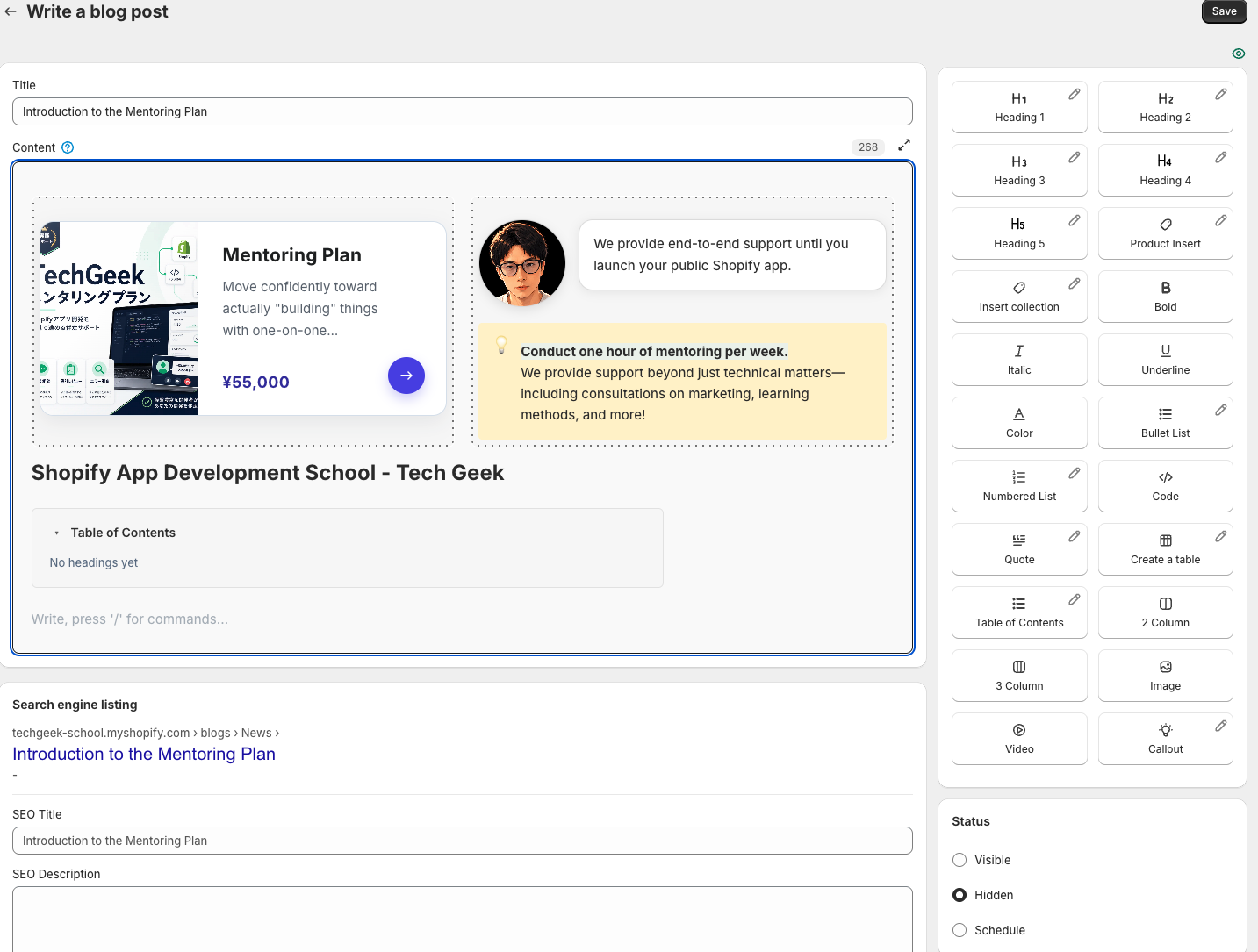
Columns can place an explanation beside an image. A speech bubble can identify a staff comment, while a callout can highlight a condition. Choose formatting for its purpose, not simply to add decoration.
Separate facts from opinions
“30 cm wide” is a specification to verify. “I found it comfortable to carry” is a person’s experience. Both can be useful, but do not present one person’s impression as universal performance.
If AI writes “we tried it” or “customers love it” without evidence, remove or correct the statement. Follow the draft review checklist for names, sizes, images, and destinations.
Start with one customer question
Ask your team for an answer to one recurring question, then add specifications and a useful photo. That gives your article information grounded in your store.
Draft with Smart Agent Blog, refine the explanation, and insert a product card for the next step. To repeat the process sustainably, see the AI writing workflow.
Learn more about Smart Agent Blog in the Shopify App Store.