
What you will learn
On this pageContentsCloseOpen
Search "do Shopify apps work with Hydrogen" and you get agency posts that answer with a shrug: some do, some don't, it depends. That answer is useless when you have 22 apps installed and a headless replatform on the roadmap.
There is a precise answer, and it comes from Shopify's own documentation. An app can only attach to Shopify in a fixed number of places — Shopify calls them app surfaces and lists seven of them. Going headless removes exactly two. Every other surface survives untouched, and for a reason most migration posts never mention: a Hydrogen storefront still sends the buyer to Shopify's hosted checkout.
So the real question is not does this app work headless. It is which surface does this app use. That is answerable app by app, before you commit to anything.
Research date: September 2, 2026. Everything below is from shopify.dev, the Shopify Help Center, or the Shopify App Store as it renders in the US locale.
The short version
- Shopify documents seven app surfaces: App Home, admin, checkout, customer accounts, Point of Sale, online store, and Shopify Flow, plus server-only apps.
- Only the online store surface is your storefront. Its two components — theme app extensions and web pixels — are the two things a headless build removes.
- Theme app extensions are Liquid files that "integrate with Online Store 2.0 themes." Headless has no theme, so app blocks and app embeds have nowhere to render.
- Web pixels "run on the online store." Your custom frontend is not the online store, so app pixels do not fire there. Hydrogen replaces them with a built-in
Analyticscomponent and a documented pattern for wiring third-party analytics by hand. - Checkout keeps working. The Storefront API
Cartobject exposes acheckoutUrlfield used "to direct buyers to Shopify's web checkout." Checkout UI extensions and Shopify Functions run there regardless of what rendered the product page. - Shopify Functions, admin UI extensions, POS UI extensions, and Flow triggers and actions are all unaffected. They never touched your storefront.
- Shopify curates a collection titled Apps that enhance your custom storefront, described as "third party apps that are compatible with your headless stack." It holds about 30 apps, and the exact set is not identical on every load.
- Hydrogen's analytics do not fire at all until you configure consent through the Customer Privacy API. Shopify states this as a caution, not a footnote.
The seven surfaces, and which two you lose
Shopify's App surfaces page is the reference nobody cites in headless discussions. It also publishes a hosting table showing which components Shopify hosts and which the developer hosts — a useful proxy for how coupled a surface is to Shopify's own rendering.
| Surface | Component | Survives a headless storefront? | Why |
|---|---|---|---|
| App Home | The app's pages in your admin | Yes | Renders inside the Shopify admin, not your storefront |
| Admin | Admin UI extensions, custom data | Yes | Product, order, and customer pages in the admin are unchanged |
| Checkout | Checkout UI extensions | Yes | Hydrogen hands off to Shopify's hosted checkout |
| Checkout | Shopify Functions | Yes | Shopify-hosted, executes server-side on cart and checkout |
| Customer accounts | Customer account UI extensions | Conditional | Only on Shopify-hosted account pages |
| Point of Sale | POS UI extensions | Yes | Renders in the POS app on iOS and Android |
| Shopify Flow | Triggers, actions, templates | Yes | Server-to-server, no storefront involvement |
| Online store | Theme app extensions | No | Liquid blocks for Online Store 2.0 themes |
| Online store | Web pixels | No | Documented as running on the online store |
Two rows are the entire problem. Everything else is noise that migration posts inflate into a general warning.
Theme app extensions: no theme, no blocks
Shopify's own description is unambiguous. Theme app extensions "allow merchants to easily add dynamic elements to their themes without having to interact with Liquid templates or code," and they "can integrate with Online Store 2.0 themes." The resources they ship are blocks — "Liquid files that act as the entry point for what you want to inject in a theme" — in two flavours, app blocks and app embed blocks, plus assets and Liquid snippets.
Every word of that is Liquid and themes. A Hydrogen storefront renders React on Oxygen. There is no Liquid template to inject into and no theme editor for a merchant to drag a block into.
This is what actually breaks. The review widget on your product page, the size-chart modal, the wishlist heart, the sticky add-to-cart bar, the cookie banner an app embeds, the trust badges — if any of those arrived as an app block or app embed, they disappear on day one of a headless build and no amount of app configuration brings them back. The vendor either publishes a JavaScript SDK or a headless API you can call yourself, or that feature is gone.
Web pixels: the tracking gap is the expensive one
Shopify defines web pixels as "JavaScript code snippets that run on the online store and collect behavioral data." The Help Center's Pixels overview is equally specific about where they load: "the Storefront, Checkout, Thank you page, Order status page, and Customer Accounts." The Storefront in that sentence means the Shopify-rendered online store.
Your Hydrogen pages are not it. Which means the Meta pixel, the TikTok pixel, the GA4 integration, and the analytics app you installed through the pixel manager stop seeing everything that happens before checkout — product views, collection browsing, add-to-cart, search. Checkout-side events still flow, because checkout is still Shopify's.
Hydrogen's answer is different in kind, not just in wiring. Since version 2024.4.3 Hydrogen ships an Analytics component by default; you add Analytics.Provider to your root route with getShopAnalytics, and events reach Shopify analytics so you can still see metrics in the admin. For anything else, Shopify documents a ThirdPartyAnalyticsIntegration pattern: you write a React component, mount it as a child of Analytics.Provider, and subscribe to events yourself.
That is engineering work, per vendor, maintained by you forever. It is not an app install. Budget for it explicitly, because it is the line item that headless proposals routinely omit.
The trap inside the trap. Shopify's Hydrogen analytics guide carries this caution: "If you haven't configured consent through the Customer Privacy API, then analytics events won't fire and no data is tracked." Not degraded — nothing. A Hydrogen storefront can ship, look perfect, take orders, and report zero storefront analytics because a consent object was never configured. Check this before you blame the tracking plan.
Customer accounts: the one genuinely conditional row
Customer account UI extensions render on Shopify's customer account pages — order status, profile, order actions. If your headless build queries the Customer Account API and renders its own account pages, those extensions are not on your pages, and the loyalty balance or order-tracking block an app puts there goes with them.
Shopify has since shipped a middle path. The <shopify-account> storefront web component lets a Hydrogen storefront keep Shopify's account experience: you load account.js from Shopify's CDN, pass a public access token and a customer access token, and customers sign in without leaving your storefront or navigate to Shopify's account pages. Two practical notes from the guide: the bundle is not included in the default Hydrogen template, and the Customer Account API does not support localhost, so you cannot test this until you deploy.
Shopify's own headless app list has about 30 entries
Shopify maintains a collection called Apps that enhance your custom storefront, subtitled "third party apps that are compatible with your headless stack."
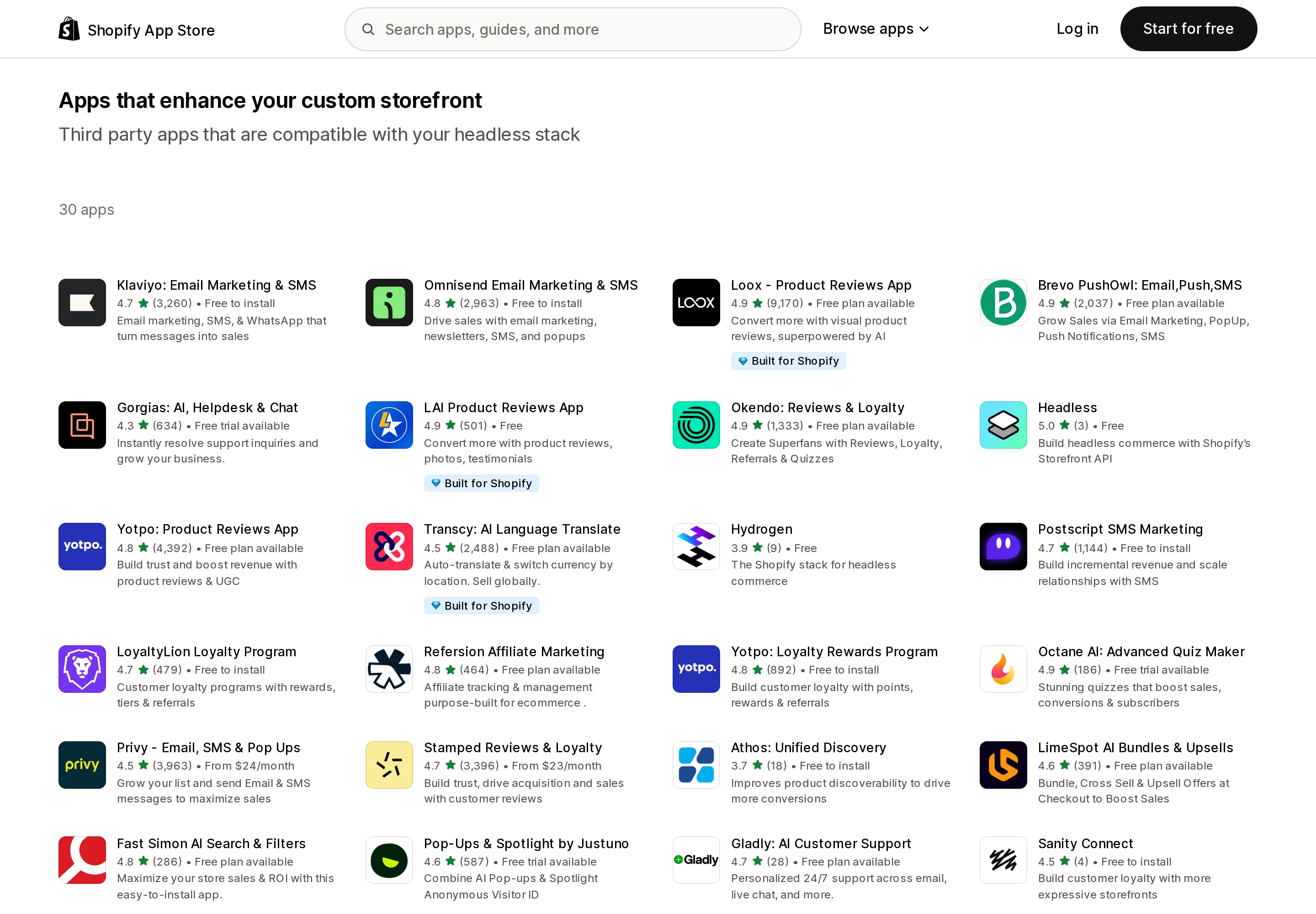
Source: Shopify App Store, "Apps that enhance your custom storefront." Retrieved September 2, 2026.
One thing to know before you read the list: the collection is not byte-identical on every load. The capture above returned 30 apps and included Postscript SMS Marketing. Repeated loads from a different session the same day returned 29 and did not include it. Treat the count as approximate and the membership as merchandising rather than a fixed compatibility register. The apps present across both loads:
Reviews and UGC — Loox ‑ Product Reviews App, LAI Product Reviews App, Okendo: Reviews & Loyalty, Yotpo: Product Reviews App, Stamped Reviews & Loyalty, Emplifi UGC.
Email, SMS, and on-site capture — Klaviyo: Email Marketing & SMS, Omnisend Email Marketing & SMS, Brevo PushOwl: Email,Push,SMS, Privy ‑ Email, SMS & Pop Ups, Pop-Ups & Spotlight by Justuno, and — in the 30-app render only — Postscript SMS Marketing.
Search, discovery, and personalization — Nosto | AI Search & Discovery, Klevu ‑ AI Search & Discovery, Fast Simon AI Search & Filters, Athos: Unified Discovery, LimeSpot AI Bundles & Upsells, Obviyo Recommend & Personalize.
Loyalty and affiliates — LoyaltyLion Loyalty Program, Yotpo: Loyalty Rewards Program, Annex Cloud: Loyalty Platform, Refersion Affiliate Marketing, EmbedUp ‑ Affiliate Buy Button.
Support, content, and other — Gorgias: AI, Helpdesk & Chat, Gladly: AI Customer Support, Sanity Connect, Octane AI: Advanced Quiz Maker, Transcy: AI Language Translate.
Shopify's own channels — Headless (free, "build headless commerce with Shopify's Storefront API") and Hydrogen (free, "the Shopify stack for headless commerce").
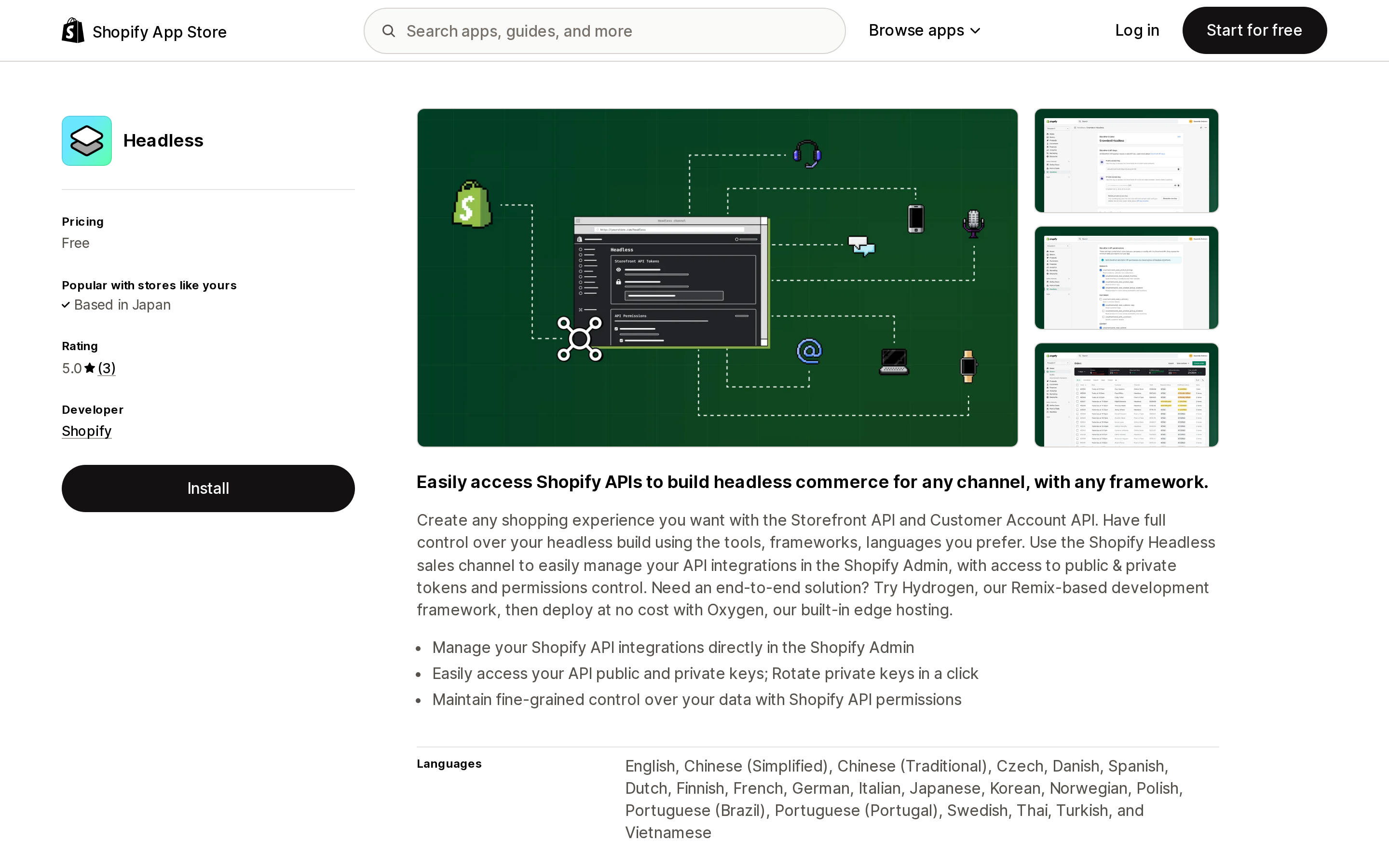
Source: Shopify App Store, Headless listing. Retrieved September 2, 2026.
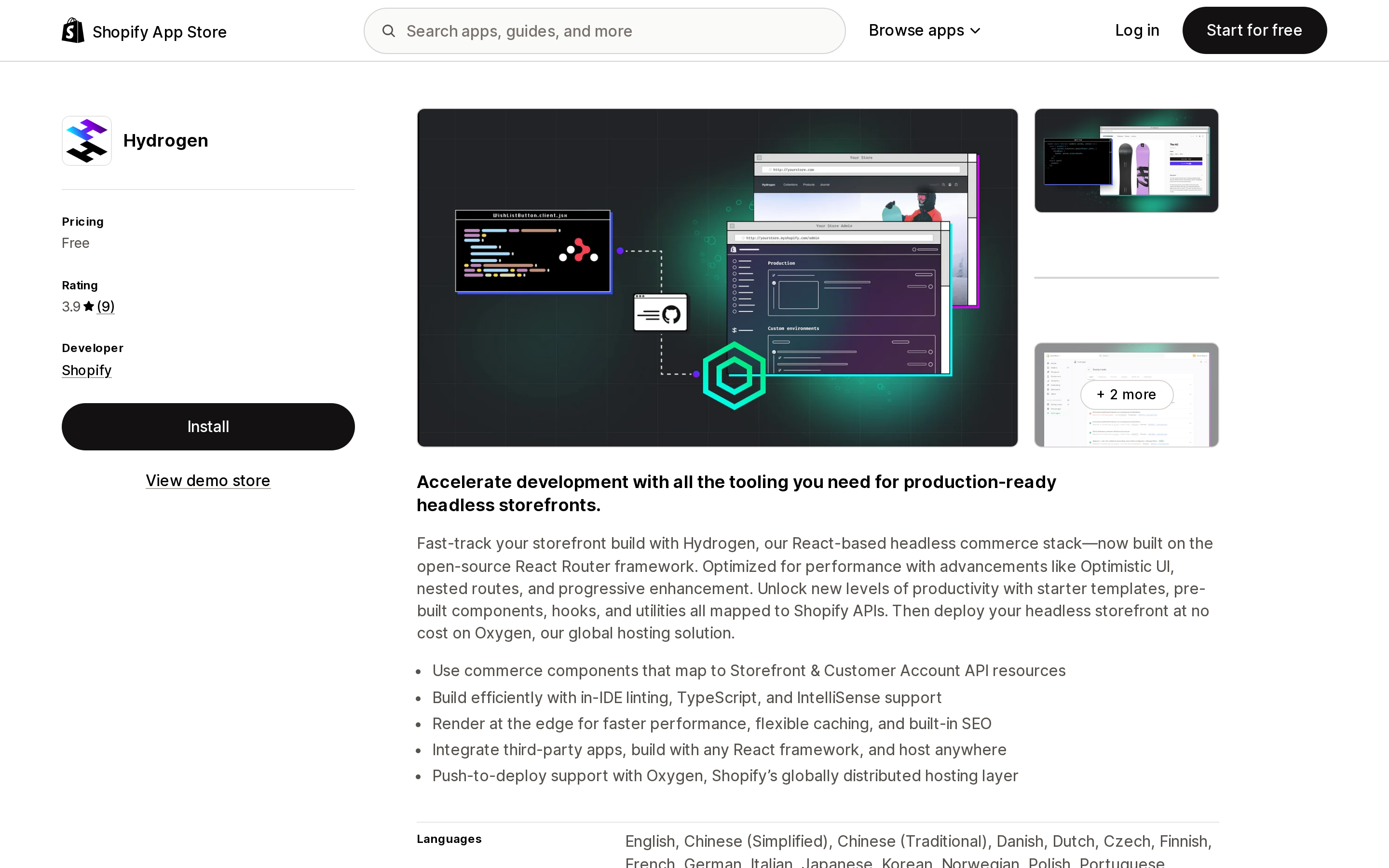
Source: Shopify App Store, Hydrogen listing. Retrieved September 2, 2026.
Read this list correctly. It is a curated merchandising collection, not a compatibility specification. An app being absent does not prove it fails headless — plenty of vendors publish headless SDKs without appearing here. And an app being present does not mean install-and-done; it means the vendor ships something you can call from your own frontend, which you still have to integrate.
What the list is genuinely useful for is its shape. Almost every entry is an app that already had a JavaScript SDK or a public API for non-Shopify sites — review platforms, marketing clouds, search vendors, loyalty platforms, helpdesks. These companies sell to WooCommerce, BigCommerce, and custom stacks too, so headless support was already built.
The categories that are not represented are the tell: subscriptions, product options and variant expansion, bundles, wishlists, size charts, back-in-stock alerts, age verification, delivery date pickers, returns portals, page builders. These are the app categories that exist because of the Liquid theme — their entire product is a widget rendered into a theme. For those, a headless migration is usually a rebuild, not a reconnection.
The audit to run before you commit
You do not need a consultant for this. You need one pass through your installed apps.
1. Open the theme editor and list every app block and app embed you have enabled. Each one is a feature you are about to lose. Note what it does on the page, not just the app name.
2. Open Settings → Customer events and list your app pixels and custom pixels. Each one is an integration you will rebuild inside a ThirdPartyAnalyticsIntegration component.
3. Mark the apps that appear in neither list. These are your admin-only, Functions-based, Flow-based, POS, and server-only apps. They move over untouched. In most stores this is the majority of the app bill, which is why "headless breaks all your apps" is wrong.
4. For each item on lists 1 and 2, ask the vendor one question: do you publish a headless or storefront API, and is there a documented integration for it? A yes-with-docs answer is a sprint of work. A vague yes is a risk. A no is a feature you are cutting.
5. Decide the customer account question early. Custom account pages with the Customer Account API, or Shopify's account experience via <shopify-account>. The second choice keeps customer account UI extensions alive; the first does not.
6. Configure the Customer Privacy API before you measure anything. Otherwise your storefront analytics will be empty and you will spend a week debugging the wrong layer.
Who should not do this
If your storefront's differentiation is a merchandising experience you cannot build in a theme, and you have in-house React engineers who will still be there in two years, headless is a defensible choice — and now you can price the app portion of it accurately instead of guessing.
If your app stack is mostly theme widgets — reviews, options, bundles, wishlist, badges, upsells — headless is not a platform upgrade. It is a commitment to rebuild and then maintain each of those widgets yourself, on a frontend where no merchant can add anything without a deploy. Online Store 2.0 themes exist precisely so that a non-developer can drag an app block into a section. Headless removes that, permanently, by design.
That trade is fine when you make it deliberately. It is expensive when you discover it in month three.
Sources
- App surfaces — shopify.dev
- About theme app extensions — shopify.dev
- About web pixels — shopify.dev
- Pixels overview — Shopify Help Center
- Analytics with Hydrogen and Oxygen and Analytics event tracking with Hydrogen — shopify.dev
- Hydrogen with account component — shopify.dev
- Cart object, Storefront API — shopify.dev
- Headless — shopify.dev
- Apps that enhance your custom storefront — Shopify App Store, retrieved September 2, 2026
Shop Pay Installments is free to activate, needs no app, and Shopify never publishes what it costs you — the rate is visible only inside your own admin. It also refuses Capital One and Chase credit cards, restricts monthly plans to debit cards only, excludes gift cards and subscriptions, and can't be turned off for individual products. Affirm can suspend your account for being password-protected, for having a non-English storefront, or for being primarily B2B. And Shopify's Getting paid page says disputes appear in your admin while its FAQ says they don't. If you fail the eligibility gates, the alternative is on-site messaging apps from Klarna, Afterpay, Sezzle, Zip, and PayPal — a category rated between 1.0 and 3.2 stars. Researched September 2, 2026.