
What you will learn
On this pageContentsCloseOpen
Almost every article about Shopify and net payment terms opens the same way: "Net 30 requires Shopify Plus." That was once true. It is not true today, and getting it wrong pushes merchants toward either an unnecessary plan upgrade or an unnecessary app.
Here is the actual shape of the problem. Shopify B2B will assign Net 7, 15, 30, 45, 60, or 90 to a company location on every plan, put the due date on the order, mark it Overdue when it lapses, and email reminders. That is the easy half of trade credit, and Shopify does it well.
The hard half is credit management. Nothing in Shopify stops a company that already owes you $80,000 from placing another $30,000 order on Net 60. Nothing gives your buyer a page listing their open invoices and a running balance. Nothing produces a 0–30 / 31–60 / 61–90 aging report you could hand to a controller. Those three gaps — enforcement, buyer portal, and receivables reporting — are where apps earn their monthly fee, and they are the only things worth paying for.
Research date: September 2, 2026. All pricing is USD as listed on the English (US) Shopify App Store, and all ratings and review counts were read from the listing headers on that date.
What Shopify's native net terms actually do
Shopify's Setting up payment terms in B2B documentation defines four term types. No payment terms (payment due immediately, the default), Net (period) with the options net 7, net 15, net 30, net 45, net 60, and net 90, Due on fulfillment, and Fixed date. The first three can be set on a company location or on an individual draft order. Fixed date is draft-order only.
One detail matters for cash flow modelling and is easy to misread: "All terms start from the day the order is placed." Not the ship date, not the invoice date. If you quote Net 30 from invoice and your invoice goes out on fulfillment two weeks later, Shopify's due date and your contract's due date will not agree.
Terms can be set on a single company location, on a company (applying to all its locations), or in bulk by selecting multiple companies on the Companies page and clicking Edit payment terms. That bulk action is the single most useful native affordance here and it is on every plan.
On the buyer side, customer accounts give a real self-service payment path. Per Shopify: "During the payment term period, B2B customers can log in to customer accounts, select an order, and pay for it by clicking Pay now." After the terms lapse, the order still shows as Overdue in customer accounts and remains payable.
Two native behaviours consistently surprise merchants:
- Nothing is captured automatically. Shopify states plainly that "Payments aren't automatically captured when the payment terms expire." Even with a vaulted credit card on the company location, someone in your admin has to charge it.
- Dynamic terms need code or an app. Terms that vary by cart value, customer type, or metafield are not a settings toggle. Shopify directs you to either the Payment Customization Function API in a custom app, or a third-party app.
The plan question, settled
Shopify's B2B features by plan matrix marks Net terms available on Basic, Grow, Advanced, and Plus. So are Payment reminders, Vaulted credit cards, and Automated Clearing House (United States only) — the last of which matters more than it looks, because ACH is how most US wholesale invoices actually settle.
What is genuinely Plus-only in the payments column is narrower than the folklore:
| Payments feature | Basic / Grow / Advanced | Plus |
|---|---|---|
| Net terms (Net 7–90) | Yes | Yes |
| Payment reminders | Yes | Yes |
| ACH (US only) | Yes | Yes |
| Vaulted credit cards | Yes | Yes |
| Deposit requirements (companies and draft orders) | No | Yes |
| Partial payments | No | Yes |
| Payment requests per fulfillment | No | Yes |
Elsewhere, Plus adds unlimited B2B market catalogs against a cap of 3 on lower plans, and direct catalog assignment to a specific company or company location. We covered that split in detail in Shopify B2B on all plans.
One caveat worth naming, because you will hit it if you go looking. Shopify's Flow reference page for the Send payment reminder action still carries a note saying payment reminders and payment schedules "require access to Payment Terms, which requires the Shopify Plus plan." That contradicts the plan matrix, which lists both net terms and payment reminders as available on every plan. The dedicated feature-by-plan table is the more specific and more actively maintained document, but if you are on Basic and building a Flow workflow around payment schedules, test it before you rely on it.
Running Net 30 without Plus, and without B2B companies
This is the part almost nobody writes about. You do not need B2B companies at all to put an order on terms.
Shopify's Managing orders with deferred payments documentation covers any order sitting in Payment pending status. From the order page you can add payment terms — Due on receipt, Due on fulfillment, Net 7 through Net 90, or a fixed term — and if it is not paid by the due date the order status becomes Overdue. Separately, under Settings > Notifications > Payment reminder, you can create up to five scheduled reminder emails, set either on the due date or up to 30 days after it.
That is a genuine Net 30 workflow on a Basic plan with zero apps. Its limits are equally real:
- It is order-by-order and manual. There is no rule that says "this customer always gets Net 30."
- There is no company object, so no shared account across multiple buyers at the same business.
- Reminders are not sent for orders with purchase options such as subscriptions, preorders, or try before you buy.
- Draft orders with payment terms in a currency other than your store currency can only be collected by credit card or by marking the order as paid.
If your wholesale side is a dozen accounts and a few orders a month, this is the correct answer and you should stop reading here.
The three things Shopify does not do
1. It does not enforce a credit limit
This is not a UI oversight — the data model has no place to put one. The Admin GraphQL CompanyLocation object exposes buyerExperienceConfiguration (which is where PaymentTerms lives), catalogs, orders, ordersCount, totalSpent, taxExemptions, taxRegistrationId, storeCreditAccounts, and metafields. There is no credit limit field and no outstanding-balance field. An app cannot read a native credit limit because one does not exist; it has to compute and store its own.
storeCreditAccounts is a common false lead. Store credit is a prepaid balance the buyer has already funded. It is the opposite of trade credit.
The nearest native control is a blunt one, and it is available on every plan: set a company location to Submit all orders as drafts for review in its checkout settings. The buyer then sees Submit for approval instead of a completed checkout, and the order lands in Drafts for a human to accept or reject. That is a manual credit gate, and for a small book of accounts it works.
2. It does not give buyers an invoice portal
Customer accounts show a buyer their orders, with an Overdue label and a Pay now button on each one. Shopify's documentation does not describe an account-level statement view — a single page listing open invoices, a total outstanding balance, and remaining credit. Nor does native Shopify generate a branded PDF invoice document. What it sends is an email with a checkout link.
For buyers whose AP department works from PDF invoices and remittance references, that difference is not cosmetic. It is the reason merchants end up emailing invoices by hand.
3. It does not do AR aging or reconciliation
There is no aging report. The closest native substitute is documented in the payment terms article: create a filtered order view that shows only orders that are Due, which surfaces everything overdue or due today. That is a worklist, not a receivables ledger. It will not bucket by days outstanding, total by customer, or reconcile a partial wire against three open invoices.
Two axes that decide which app you need
Every app below sits somewhere on two independent axes. Sort your requirement onto them before you look at pricing.
Axis 1 — enforcement. Does the app actually block an over-limit or overdue buyer at checkout, or does it just record a number for staff to read?
Axis 2 — buyer self-service. Does the buyer get a portal with their open balance and a way to pay it themselves, or does your team still email documents?
If you need neither, native plus a Flow reminder is enough. If you need only Axis 2, an invoice document app may be sufficient — see Shopify's native invoice and receipt limits. If you need Axis 1, you are buying an app, and the question becomes which category.
The apps
Purpose-built AR layer: Net Terms Tracker: B2B Credit
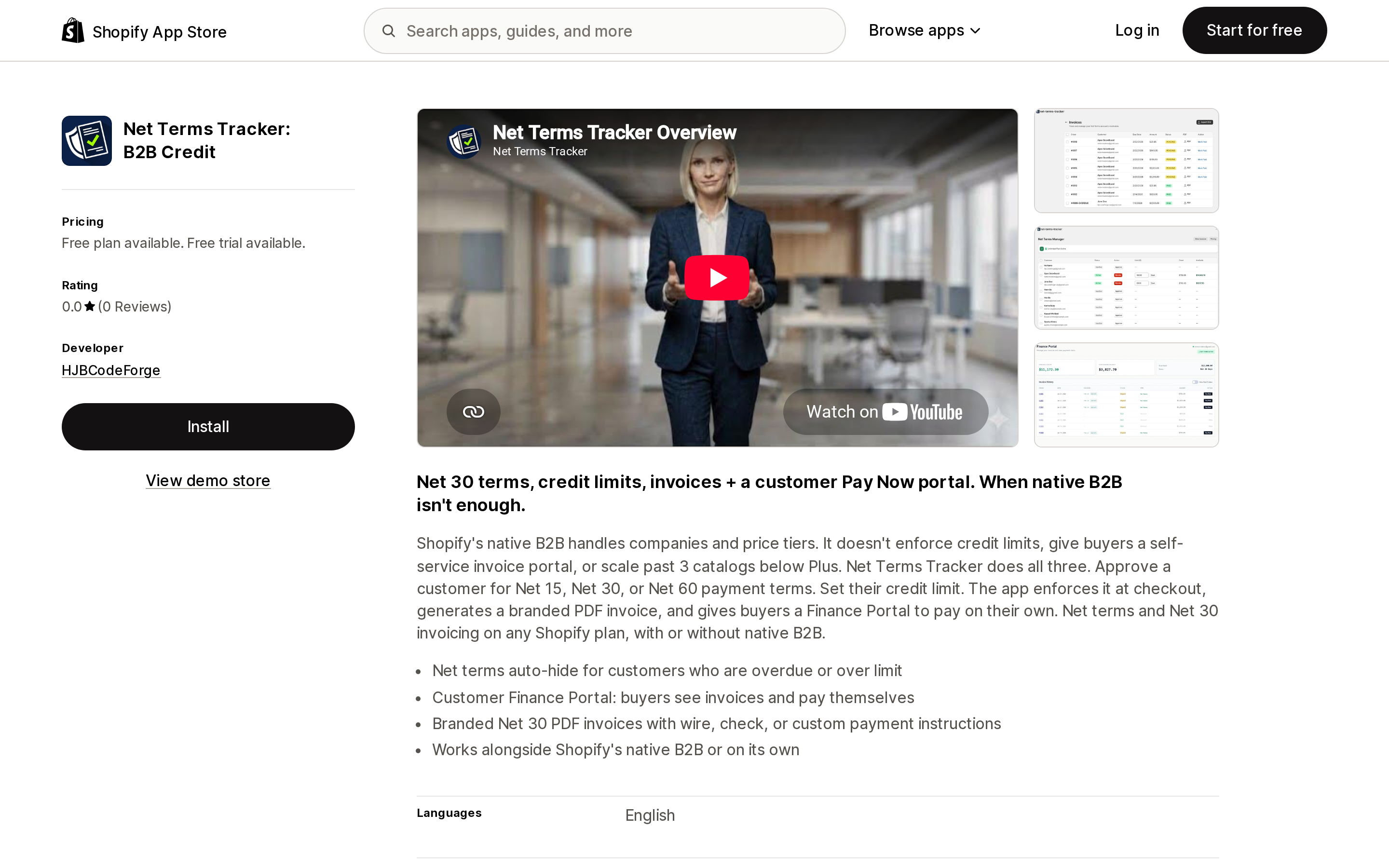
Source: Shopify App Store (Net Terms Tracker: B2B Credit), retrieved September 2, 2026
Net Terms Tracker: B2B Credit by HJBCodeForge is the only app here built solely around the two gaps rather than around wholesale pricing. Its listing describes per-customer credit limits enforced at checkout, a Customer Finance Portal where buyers view and pay invoices themselves, branded PDF invoices with wire, check, or custom payment instructions, and net terms that "auto-hide for customers who are overdue or over limit."
Its requested data access is consistent with that claim: it edits Companies and Shopify Functions including payment customizations and checkout validations, which is the mechanism you would need to actually suppress a terms option at checkout.
Pricing is a Free plan (5 net terms customers, manual order approval, custom credit limits, basic dashboard) and a Pro Plan at $29/month with a 30-day free trial, which adds unlimited net terms customers, per-customer credit limits at checkout, the Finance Portal with Pay Now, branded PDF invoices, automated email reminders, and bulk CSV exports.
The caveat is unavoidable and you should weigh it seriously: the listing shows 0.0 (0 reviews) and a launch date of May 6, 2026. There is no merchant track record to evaluate. Nothing here is a judgement about the software — only that nobody has publicly reported on it yet.
Full B2B platform with a credit limit: B2Bridge B2B Wholesale Pricing
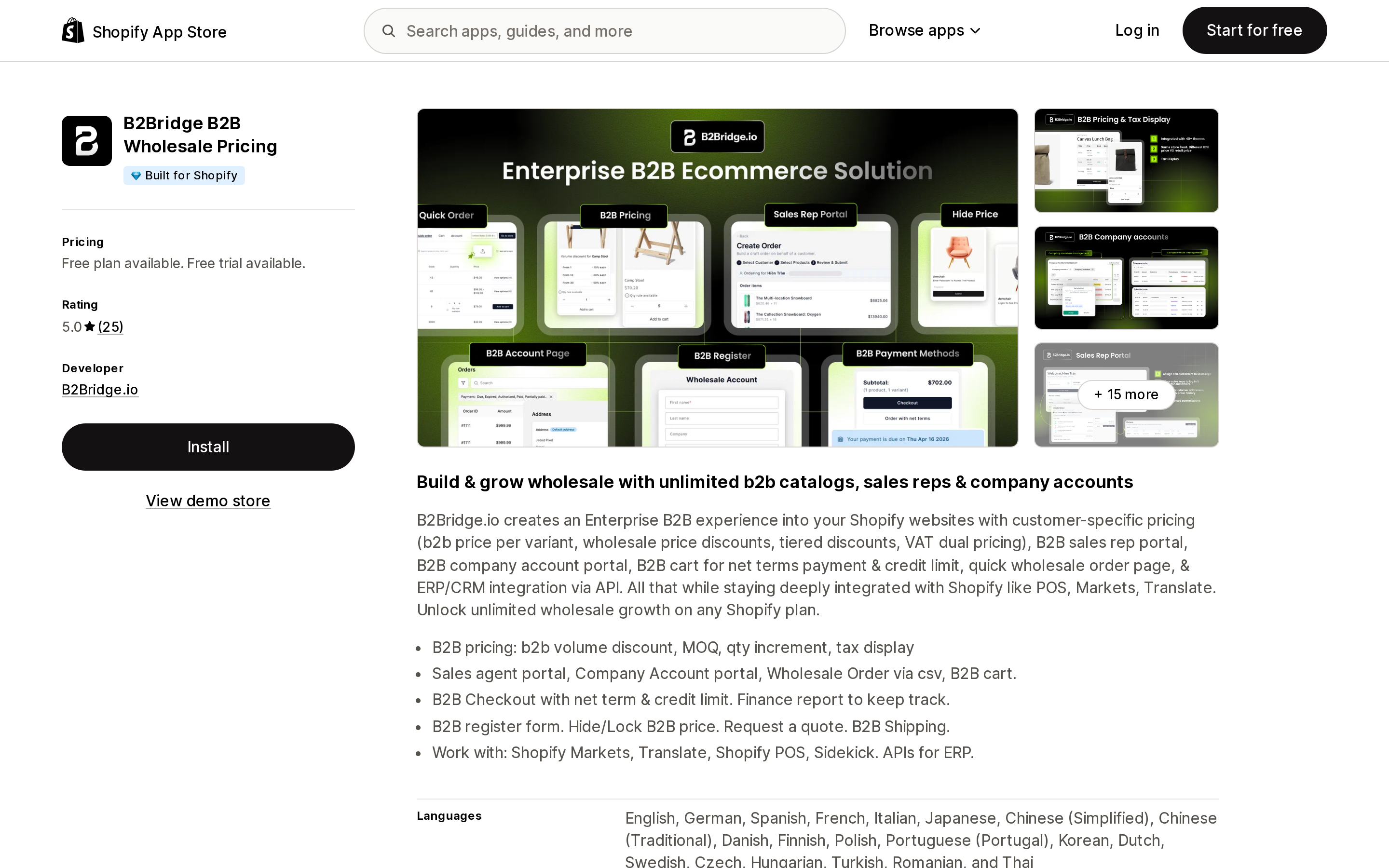
Source: Shopify App Store (B2Bridge B2B Wholesale Pricing), retrieved September 2, 2026
B2Bridge B2B Wholesale Pricing carries the Built for Shopify badge and rates 5.0 (25). Its listing describes a "B2B cart for net terms payment & credit limit" plus a "Finance report to keep track."
The plan placement is what to check. Net payment terms are in the free Starter plan. Credit limit and the Finance & Payment Report are on the Growth plan at $199/month, alongside unlimited sales agents and company accounts, RFQ, and price list import/export. Professional at $99/month gets you net terms, PDF invoices, and manual orders but not the credit limit. Advanced at $299/month adds a public API. All paid tiers have a 14-day free trial.
So B2Bridge answers both axes, but the credit limit specifically is a $199/month line item. That is rational if you are also buying the sales rep portal and company account portal. It is expensive if credit enforcement is the only thing you want.
Full B2B platform, invoicing-first: SparkLayer B2B & Wholesale
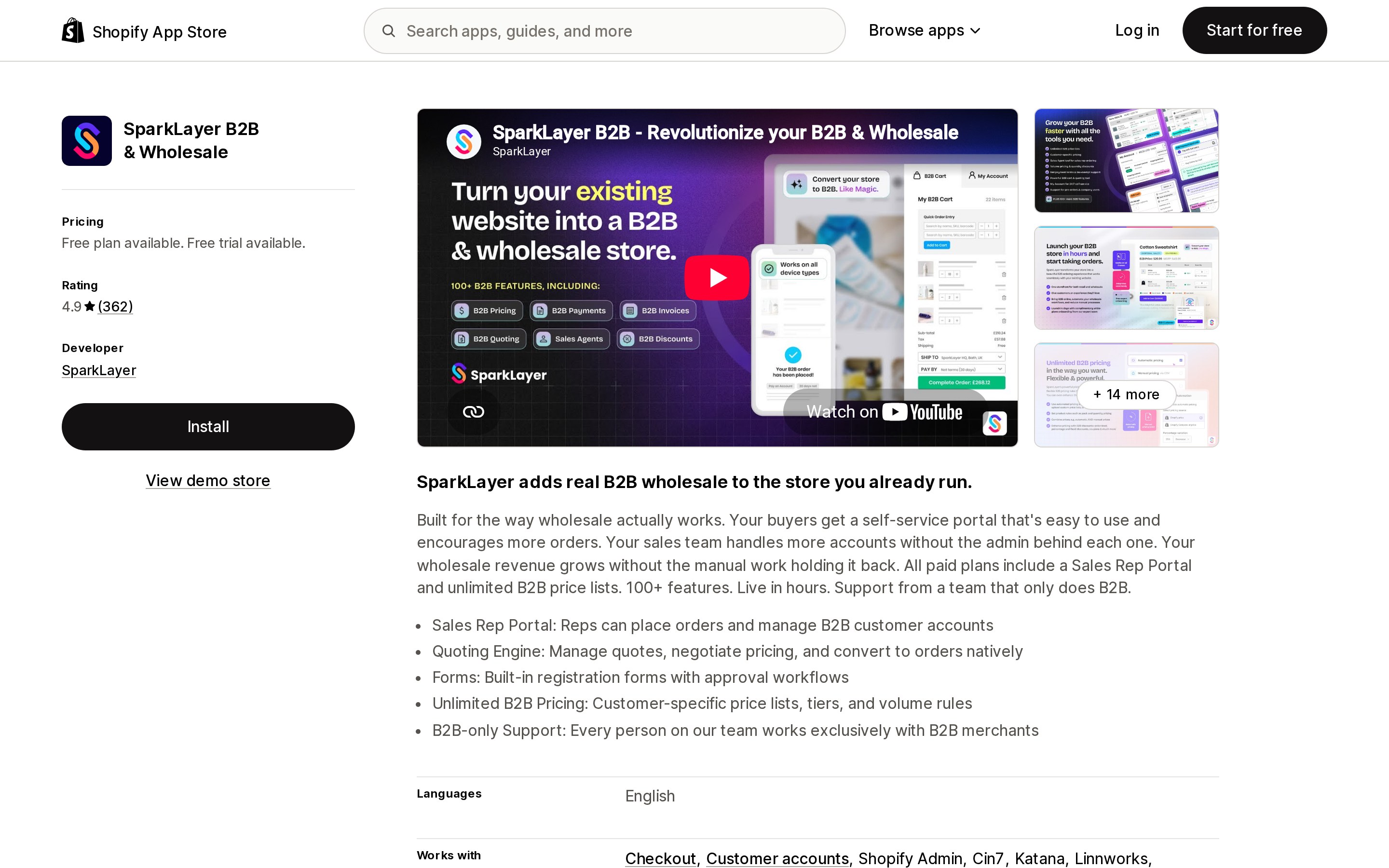
Source: Shopify App Store (SparkLayer B2B & Wholesale), retrieved September 2, 2026
SparkLayer B2B & Wholesale rates 4.9 (362) and has been listed since April 28, 2021. Net payment terms appear on the free Basic plan, which is capped at 5 orders per month and 3 price lists.
The relevant tier for receivables is Growth at $149/month, which adds "Invoicing (download invoices as PDFs)" and "Workflow automations (e.g. credit terms)" — buyers pulling their own PDFs from their account is squarely Axis 2. Starter is $49/month (50 orders/month, 1 sales agent), Growth caps at 100 B2B orders/month, and Pro at $299/month raises that to 150 and adds quoting plus Xero and QuickBooks Online connections. Those monthly order caps are the constraint most merchants underestimate.
SparkLayer's listing does not describe a hard credit limit enforced at checkout; it describes workflow automations around credit terms. Treat that as Axis 2 strength with Axis 1 unconfirmed. Recent reviews are mixed on support latency — a September 1, 2026 review calls setup "quite clunky" without coding experience and cites slow support, and an edited August 31, 2026 review from a US merchant describes a multi-day outage on new account setup before it was resolved. Both are single reports, but both are recent.
Offload the credit risk entirely: Resolve Pay
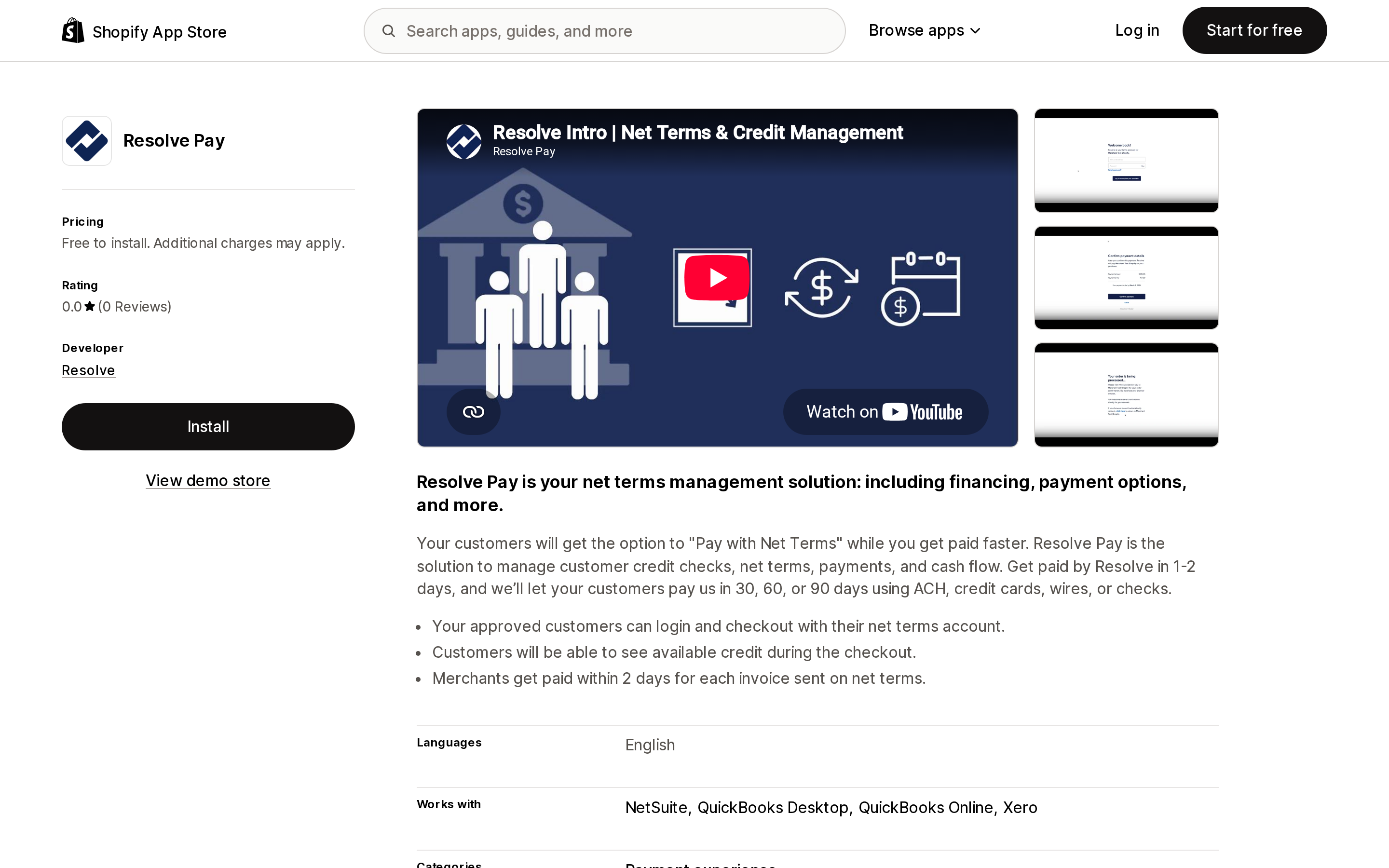
Source: Shopify App Store (Resolve Pay), retrieved September 2, 2026
Resolve Pay, by Resolve of San Francisco, is a different product category — a payment experience app rather than a wholesale app. Its listing describes customers choosing "Pay with Net Terms" at checkout, seeing their available credit during checkout, and Resolve paying the merchant "within 2 days for each invoice sent on net terms" while the buyer pays Resolve in 30, 60, or 90 days by ACH, credit card, wire, or check.
That reframes the whole problem: credit checks, the credit limit, and collections move to a third party. It integrates with NetSuite, QuickBooks Desktop, QuickBooks Online, and Xero.
Two things to verify before you get attached to it. It is Free to install with "SaaS fee and financing fees" billed by Resolve separately from your Shopify invoice — the App Store listing does not publish those rates, so you must get them from Resolve directly. And the listing shows 0.0 (0 reviews) since its February 13, 2024 launch, so there is no App Store feedback to read.
Tag-based wholesale apps with net terms attached
These three are wholesale pricing apps first. Net terms is a feature on an upper tier, and none of their listings describe an enforced credit limit or a buyer-facing invoice portal.
BSS B2B Wholesale Pricing carries the Built for Shopify badge and rates 4.9 (1,112), the largest review base in this group. Net terms sits on the Advanced plan at $49/month ("Add extra fees and support net terms"), with Essential at $29 and Platinum at $99. Annual billing saves about 10%.
B2B Wholesale Hub by Orbit — formerly Wholesale Club — also carries Built for Shopify and rates 4.7 (663). Its Professional plan at $69/month lists "Net terms (Net 30 / Net 15)"; Basic is $39 and Premium is $99. A June 15, 2026 review from a long-tenured US merchant makes the structural point better than I can: the app keys off customer tags and the merchant asks for it to read Company metafields instead, noting that "Supporting B2B features that Shopify introduces is a crucial part of the work of this app." If you have already adopted native B2B companies, check compatibility carefully before layering a tag-based app on top.
Wholesale Gorilla rates 4.7 (305) and splits the feature in two: "Net terms" appears on the Advanced plan at $69.95/month, while "Payment terms" is listed separately on Premium at $149.95/month. Lite is $34.95. All tiers have a 21-day free trial, the longest of the three wholesale-pricing apps in this section. Its recent reviews are polarised, including a critical August 17, 2026 review reporting repeated checkout failures, alongside multi-year five-star reviews praising support.
Comparison
| App | Rating (reviews) | Built for Shopify | Cheapest tier with net terms | Enforced credit limit | Buyer self-service invoice access | Free trial |
|---|---|---|---|---|---|---|
| Net Terms Tracker: B2B Credit | 0.0 (0) | No | Free plan | Yes, per listing — at checkout on Pro $29/mo | Yes, Customer Finance Portal on Pro $29/mo | 30 days |
| B2Bridge B2B Wholesale Pricing | 5.0 (25) | Yes | Free (Starter) | Yes, on Growth $199/mo | PDF invoice from Professional $99/mo | 14 days |
| SparkLayer B2B & Wholesale | 4.9 (362) | No | Free (Basic, 5 orders/mo) | Not stated | Yes, PDF download on Growth $149/mo | 14 days |
| Resolve Pay | 0.0 (0) | No | Free to install + external fees | Yes, credit shown at checkout | Buyer pays Resolve directly | Not stated |
| BSS B2B Wholesale Pricing | 4.9 (1,112) | Yes | Advanced $49/mo | Not stated | Not stated | 14 days |
| B2B Wholesale Hub | 4.7 (663) | Yes | Professional $69/mo | Not stated | Not stated | 14 days |
| Wholesale Gorilla | 4.7 (305) | No | Advanced $69.95/mo | Not stated | Not stated | 21 days |
"Not stated" means the App Store listing does not describe the capability. It is not a confirmation that the feature is absent — ask the developer.
How to choose
- A dozen accounts, low order volume, on any plan. Use native payment terms on the order or company location, plus the built-in payment reminders under Settings > Notifications. Buy nothing.
- You need a hard stop on over-limit buyers and nothing else. Net Terms Tracker: B2B Credit at $29/month is the only app here priced around that single job — with the caveat that it has no review history.
- You need a full wholesale platform and a credit limit. B2Bridge at $199/month bundles credit limit, finance reporting, and sales rep portal.
- Your buyers demand PDF invoices they can pull themselves. SparkLayer Growth at $149/month, or Net Terms Tracker at $29/month if you do not need the rest of the platform.
- You want the credit risk off your balance sheet. Resolve Pay, once you have their SaaS and financing rates in writing.
- You already run tag-based wholesale pricing and just need terms at checkout. BSS at $49/month is the cheapest credible route, but confirm how it behaves alongside native B2B companies.
- You need deposits or partial payments. That is Shopify Plus, and no app on this list replaces it.
Before you install
Ask the developer three questions in writing. First, does the credit limit block the order at checkout, or only warn staff afterwards? An app that records a limit without a checkout validation or payment customization has not solved anything. Second, does the app read native B2B companies and company locations, or does it key off customer tags? Mixing the two models is where wholesale stores break. Third, if the app enforces terms via a Shopify Function, what happens to the buyer's checkout the day you uninstall it — see what actually survives an app uninstall.
And check the plan boundary before assuming an app is the answer. Very often, the merchant asking about "Shopify Plus for Net 30" already has Net 30. What they do not have is a credit limit — and that is a much smaller, much cheaper problem to solve.
Sources
- Setting up payment terms in B2B — Shopify Help Center
- Shopify B2B features by plan — Shopify Help Center
- Overview of B2B features on Shopify — Shopify Help Center
- Managing orders with deferred payments — Shopify Help Center
- Creating B2B orders using draft orders — Shopify Help Center
- Send payment reminder — Shopify Help Center
- CompanyLocation object — Shopify Admin GraphQL API
- Shopify App Store listings for Net Terms Tracker: B2B Credit, B2Bridge B2B Wholesale Pricing, SparkLayer B2B & Wholesale, Resolve Pay, BSS B2B Wholesale Pricing, B2B Wholesale Hub, and Wholesale Gorilla, all retrieved September 2, 2026
Shop Pay Installments is free to activate, needs no app, and Shopify never publishes what it costs you — the rate is visible only inside your own admin. It also refuses Capital One and Chase credit cards, restricts monthly plans to debit cards only, excludes gift cards and subscriptions, and can't be turned off for individual products. Affirm can suspend your account for being password-protected, for having a non-English storefront, or for being primarily B2B. And Shopify's Getting paid page says disputes appear in your admin while its FAQ says they don't. If you fail the eligibility gates, the alternative is on-site messaging apps from Klarna, Afterpay, Sezzle, Zip, and PayPal — a category rated between 1.0 and 3.2 stars. Researched September 2, 2026.