
What you will learn
On this pageContentsCloseOpen
There is a page in the Shopify Help Center that reads like it was written specifically about the scarcity app you're evaluating.
Under Product performance, marketing, and pricing claims, Shopify's Consumer protection laws page says: "Claims about product popularity and availability should be clear and accurate." Then it gives three examples of "potentially deceptive or misleading marketing":
- "limited stock notifications, such as 'only [x] items left' when there are actually more items available"
- "countdown timers, such as 'only [x] hours left' when that claim isn't true"
- "claims about how many people bought a particular product, such as '[x] people bought this product today' when that claim isn't true"
Those three examples are, in order, the three products sold by the scarcity, urgency and social proof category on the Shopify App Store. And the page opens with a line worth reading twice: "To ensure uninterrupted use of your Shopify store, ensure you're following consumer protection laws in any jurisdiction where you conduct business."
This article is not an argument against urgency. Urgency is legal, effective, and everywhere. It's an argument that the choice between these apps turns on one question almost no comparison asks — does the number this app displays come from your actual inventory, or from a field you type into? Ten real apps, checked on that question and on their pricing meter. Research date: September 2, 2026. All prices are USD as listed on the Shopify App Store.
The short version
- Shopify's own Help Center names low-stock notices, countdown timers and purchase-count claims as examples of potentially deceptive marketing when the claim isn't true. The Shopify Terms of Service require claims about products to be true.
- The FTC's Consumer Reviews and Testimonials Rule (16 CFR Part 465) is the rule everyone cites here, and it does not reach countdown timers or stock counters. It covers reviews, testimonials, and fake social media influence indicators. Getting this wrong in either direction leads to bad decisions.
- Of the ten apps below, exactly one openly advertises a merchant-set number — Urgency+ Low Stock Counter and its "Manual stock mode." No app on the App Store uses the words "fake," "random," or "simulated."
- Four social-proof apps carry a "Custom notifications" feature tag, which means synthetic purchase notifications are supported even where the marketing copy says "real."
- The pricing meters are wildly incomparable: impressions, timer views, sessions, page views, popup views, campaign counts, your Shopify plan tier, and — in one case — your attributed revenue.
What Shopify actually says, and what it doesn't
Two documents matter, and they say different things.
The Terms of Service. Shopify's help page summarizes it: "Shopify's Terms of Service require claims that you make about the products and services you sell on your store to be true." That's a contractual obligation to Shopify, separate from any statute.
The Consumer protection laws page. This is where the three examples live. Note the precise construction Shopify uses. It is not saying countdown timers are deceptive. It is saying a countdown timer is deceptive "when that claim isn't true." A real 48-hour sale with a real 48-hour timer is not on this list. An evergreen timer that resets per visitor is.
The same page carries an explicit disclaimer that it "doesn't contain, and isn't meant to provide, legal advice," and that which laws apply depends on where your store and your customers are. This article isn't legal advice either. But the operational reading is simple: if the number on screen can be checked against reality and would fail, you've built the thing Shopify's own documentation uses as its example.
The FTC rule everyone cites is the wrong rule
Search for "fake urgency FTC" and you will find dozens of ecommerce blog posts pointing at the FTC's Rule on the Use of Consumer Reviews and Testimonials, 16 CFR Part 465, effective October 21, 2024. It's a real rule with real civil penalties. It is also, for countdown timers, the wrong citation.
Read the text. Part 465 has eight operative sections and they cover: fake or false consumer reviews and testimonials (§465.2), buying positive or negative reviews (§465.4), insider reviews (§465.5), company-controlled review sites (§465.6), review suppression (§465.7), and misuse of fake indicators of social media influence — followers, likes, views, shares (§465.8).
The definitions are what rule countdown timers out. A consumer review must be "published to a website or platform dedicated in whole or in part to receiving and displaying such evaluations." A consumer testimonial must be a message "that consumers are likely to believe reflects the opinions, beliefs, or experiences of a consumer." A popup reading "Sarah in Ohio bought this 3 minutes ago" is neither. It's a factual assertion about a transaction, not an evaluation and not an opinion.
That doesn't make it safe. It means the relevant authority is the FTC Act's general prohibition on deceptive acts and practices, plus state consumer protection law — not Part 465. The distinction matters because Part 465 has a specific penalty structure attached to it, and articles that blur the two produce merchants who either panic about timers or assume a "reviews rule" means their sales popup is fine.
Where Part 465 genuinely does apply to this category: review-based social proof. If your social proof widget displays reviews, everything in §465.2 through §465.7 is live — including the rule against suppressing reviews based on negative sentiment while implying you're showing all of them.
The question no comparison asks: where does the number come from?
Here is what ten listings say when you read them for this one question.
| App | Rating (reviews) | Stock counter source | Custom/synthetic notifications |
|---|---|---|---|
| Urgency Bear Countdown Timer | 4.6 (75) | Real — "real inventory & stock countdown per selected variant" | n/a (no popup feature) |
| Hey!Scarcity Low Stock Counter | 5.0 (140) | Real — threshold-driven off inventory level | n/a |
| Urgency+ Low Stock Counter | 4.8 (55) | Real or manual — "Manual Stock mode with {quantity} token" | n/a |
| Hextom: Upsell Sales Boost | 4.8 (1,448) | Not stated on listing | n/a |
| Sales Popup Autoketing ‑ POP | 4.7 (539) | Not stated on listing | Yes — "Custom notifications" tag |
| Nudgify Social Proof Sales Pop | 4.4 (51) | Not stated on listing | Yes — "Custom notifications" tag |
| Qikify Sales Pop up & Proof | 5.0 (574) | n/a (sold count, source not stated) | Yes — "Custom notifications" tag |
| SP Sales Pop up Social Proof | 4.9 (979) | Not stated on listing | No custom-notification tag |
| SalesPop: Order & Sales Popup | 4.7 (884) | n/a | Yes — tag present, despite "no fake urgency" copy |
| Hextom: Countdown Timer Bar | 4.9 (725) | n/a (timers only) | n/a |
Three findings worth pulling out.
Nobody says "fake." Across every listing read for this article, the words "fake," "random," "virtual" and "simulated" do not appear. The App Store's copy standards have pushed the vocabulary somewhere else. The closest permitted framing is Urgency+'s "Manual stock mode" — and to its credit, the app is completely open about it, listing "Use real Shopify inventory or switch to Manual stock mode" as a headline bullet and framing it for launches, preorders and drops, which are genuinely cases where Shopify inventory doesn't reflect what's available. It's a $4.99/month app with a Built for Shopify badge and no usage caps. The feature isn't the problem; typing a number that contradicts reality is.
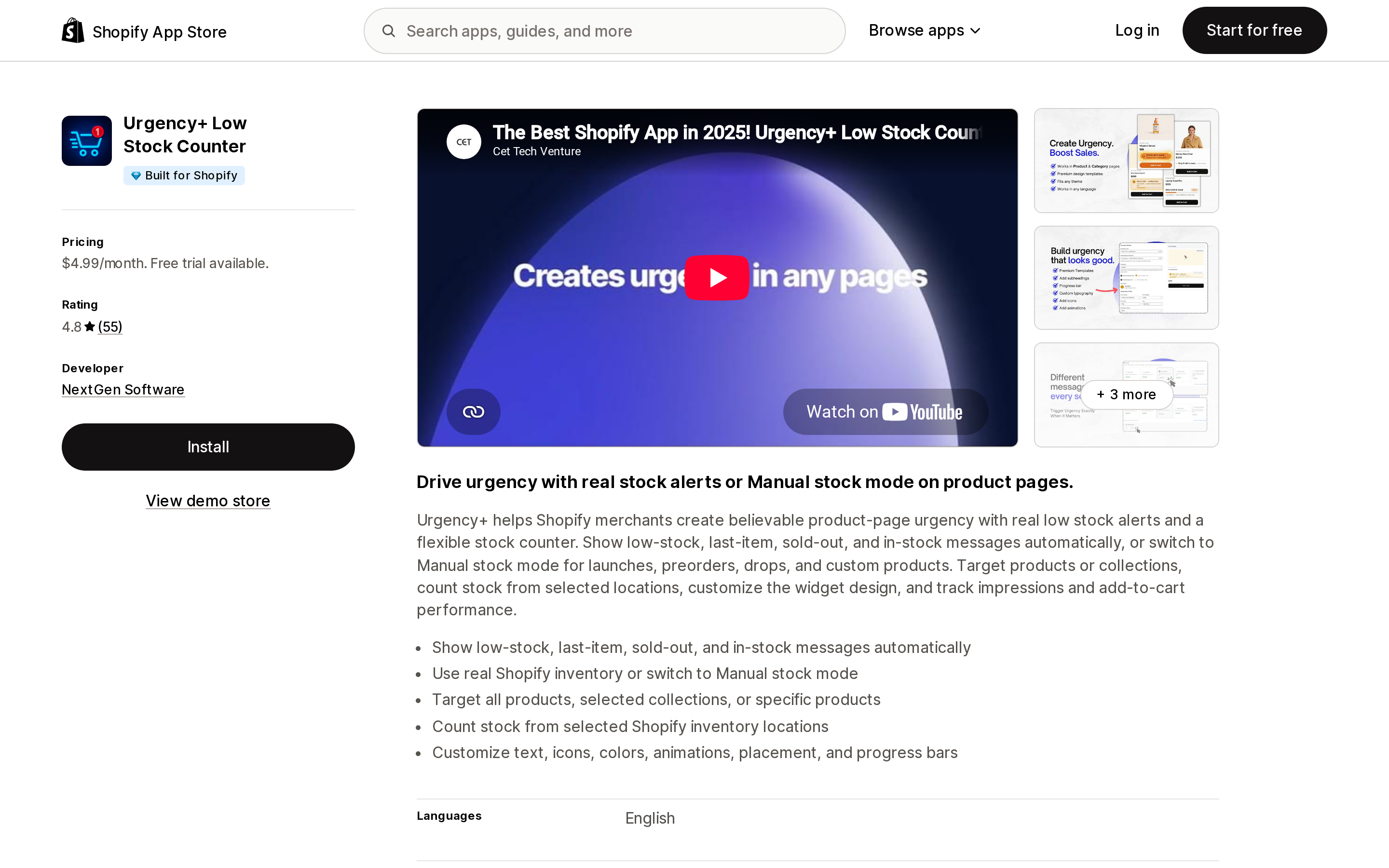
Source: Urgency+ Low Stock Counter on the Shopify App Store, captured September 2, 2026.
"Not stated on listing" is the most common answer, and that's the actual finding. Most scarcity apps simply don't tell you in the listing whether the counter reads inventory or a setting. You find out in the app. For a compliance-relevant number, that's worth checking during the trial, not after launch.
One app markets against the category. SalesPop: Order & Sales Popup leads with "Simple to set up, honest by default. No fake urgency, no gimmicks" and "Honest by default: real activity only, no fake countdowns or fake urgency." It is also the most expensive app in this list by a wide margin — $29 to $129 per month against $4.99 to $14.99 for most competitors. Its own feature tags still include "Custom notifications," so read the copy as positioning, not as a technical guarantee.
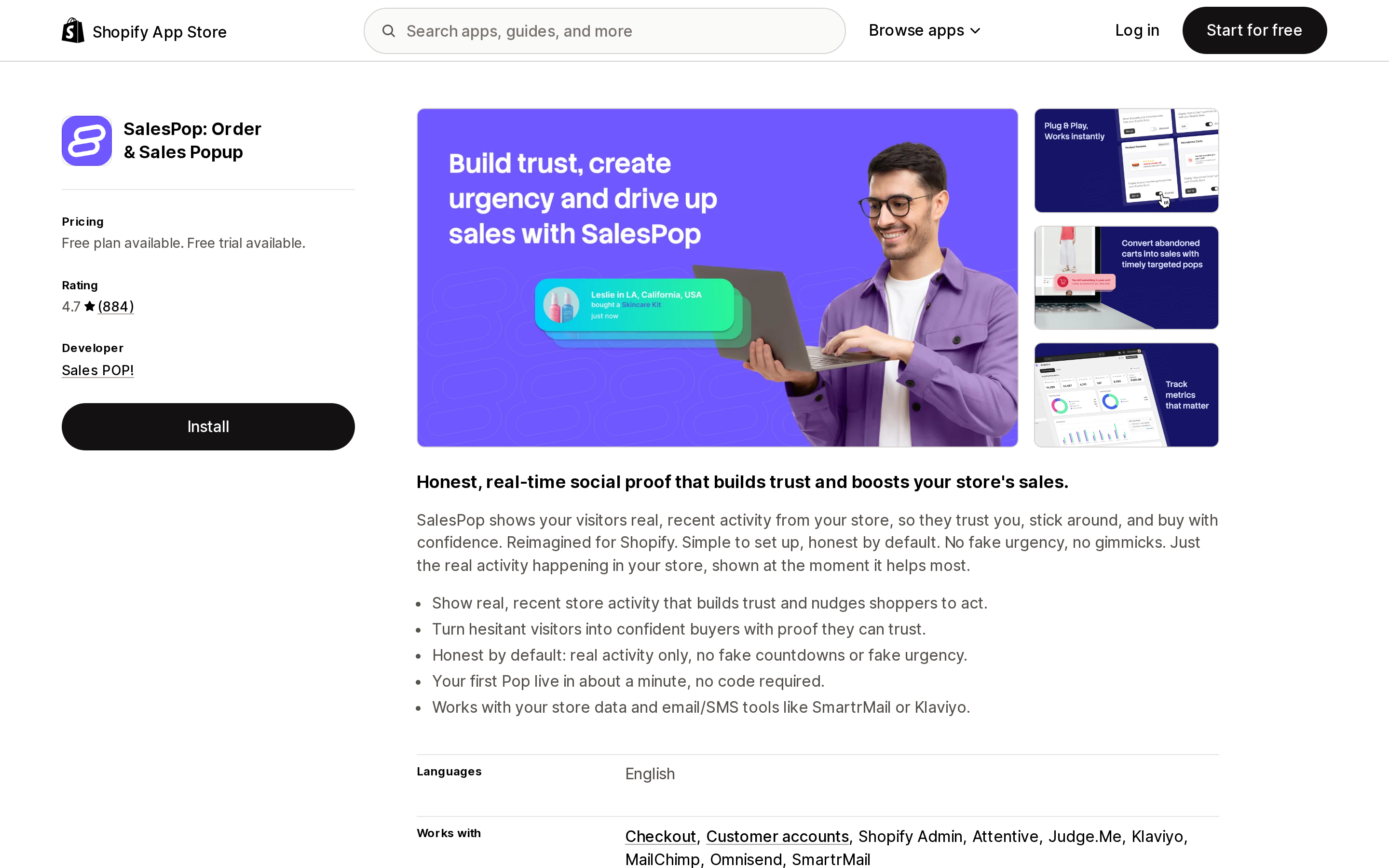
Source: SalesPop: Order & Sales Popup on the Shopify App Store, captured September 2, 2026.
The second axis: eight different meters
If you've read anything else on this blog, you know the pattern. These apps do not price against a comparable unit, so a monthly-price ranking is meaningless.
| App | Metered on | Entry price | Top published tier |
|---|---|---|---|
| Hextom: Countdown Timer Bar | active bars / feature set | Free | $9.99/mo (unlimited bars) |
| Essential Countdown Timer Bar | monthly timer views | Free (1,000 views) | $29.99/mo (unlimited views) |
| Hextom: Upsell Sales Boost | attributed revenue + active campaigns | Free ($200 lifetime attributed revenue) | $79.99/mo ($5,000/mo attributed revenue included) |
| Nudgify | impressions/month | Free (1,000) | $49/mo (300,000) |
| Sales Popup Autoketing ‑ POP | popup views + campaign count | Free (1,000 views, once) | $14.99/mo |
| SP Sales Pop up Social Proof | visitors, then your Shopify plan | Free (500 visitors/mo) | $24.99/mo (Advanced merchants) |
| Qikify Sales Pop up & Proof | visitors, then your Shopify plan | Free (500 visitors/mo) | $19.99/mo (Advanced merchants) |
| Hey!Scarcity | page views | Free (5,000 page views) | $5.99/mo (unlimited) |
| Urgency+ Low Stock Counter | nothing — flat, "unlimited products & page views" | $4.99/mo | $4.99/mo |
| SalesPop | sessions/month | Free (200 sessions) | $129/mo (30,000 sessions) |
| Urgency Bear | nothing — no pricing section at all | Free | Free |
Two of these deserve a second look.
Hextom: Upsell Sales Boost — renamed from "Ultimate Sales Boost," so older comparison articles are pointing at a different name — meters on attributed revenue. The free tier is "$200 lifetime attributed revenue," Starter includes "$500/mo attributed revenue" with "up to $50/mo overage usage," and Pro includes $5,000/mo with up to $300/mo overage. This is the only app in the category that scales its bill with how well it works, and it is the only one where a good month can produce a surprise invoice. Model the overage ceilings, not the headline price.
SP Sales Pop up Social Proof and Qikify both meter their free tier on visitors and then price paid tiers by your Shopify plan — $6.99 for Basic merchants, $14.99 or $12.99 for the middle tier, $24.99 or $19.99 for Advanced. Usage is unlimited on every paid tier. If you're a high-traffic store on Basic, this structure is dramatically cheaper than impression-metered competitors. If you're a low-traffic store on Advanced, it's the opposite.
Note also that SP Sales Pop's developer is in Dubai and Qikify's is in Hanoi, while both listings show Shopify's "Based in United States" popularity label in the header — that label describes where merchants using the app are, not where the developer is.
Built for Shopify, and what it doesn't tell you
Six of the apps here carry the Built for Shopify badge in the listing header: Hextom's Countdown Timer Bar and Upsell Sales Boost, SP Sales Pop up Social Proof, Qikify, Urgency+, and Hey!Scarcity. Essential Countdown Timer Bar — 5.0 stars from 1,627 reviews, the highest review count of any timer app here — does not carry it, and neither do Nudgify, Autoketing, SalesPop or Urgency Bear.
The badge measures performance, design and integration quality. It says nothing about whether the number the app displays is true. Urgency+ carries the badge and ships Manual stock mode; Urgency Bear doesn't carry the badge and pulls real per-variant inventory. Use the badge for what it measures.
A configuration checklist that keeps the claim true
None of this requires abandoning urgency. It requires the displayed number to survive being checked.
- Tie stock counters to a real threshold, not a fixed string. "Only 3 left" should appear because inventory is 3. Apps like Hey!Scarcity and Urgency Bear do this by design.
- Give timers a real end. A sale that ends Sunday at midnight can have a timer to Sunday at midnight. A per-visitor timer that restarts on refresh is the exact example on Shopify's page.
- If you use recurring or scheduled timers, make sure the underlying offer actually recurs on that schedule. Hextom's Premium tier and Essential's Starter tier both sell recurring timers; the offer has to recur too.
- Audit the "custom notifications" setting in any social proof app before launch. Four of the apps here support synthetic notifications and none of them make that obvious in the UI copy.
- If your social proof surfaces reviews, you're inside 16 CFR Part 465 and the suppression rule in §465.7 applies to how you filter them.
- Manual stock mode has legitimate uses — preorders, drops, made-to-order — where Shopify inventory genuinely doesn't represent availability. Document why you set the number you set.
- Re-check after theme changes. Counters and timers are theme app extensions; a theme swap can leave a stale block rendering a number nothing updates any more.
Choosing
If you only need timers on a real sale: Hextom: Countdown Timer Bar at $9.99 for unlimited bars, or Essential Countdown Timer Bar if you'd rather meter on views and start free. Essential's free tier is 1,000 monthly timer views, which is small.
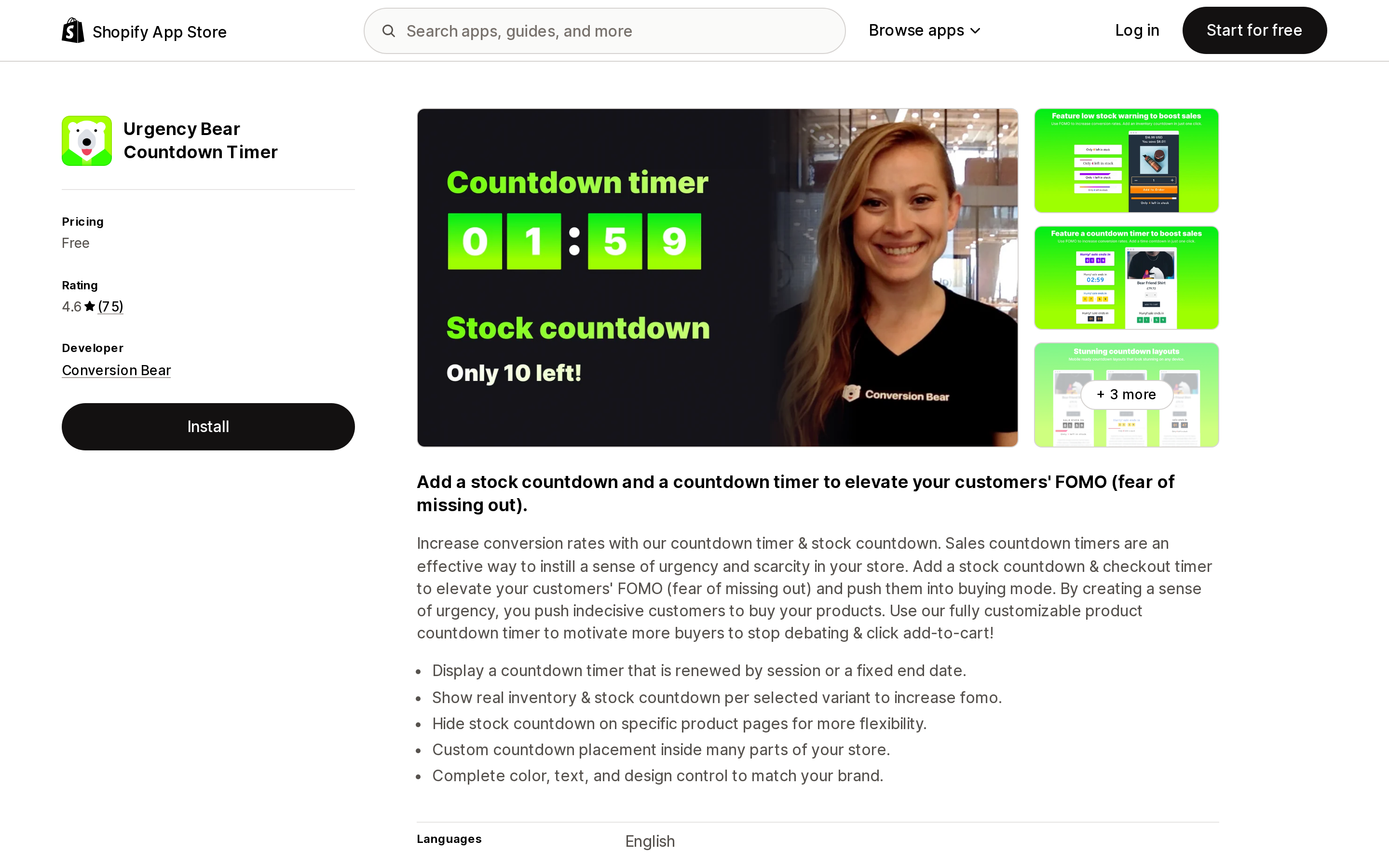
Source: Urgency Bear Countdown Timer on the Shopify App Store, captured September 2, 2026.
If you want a low-stock counter you never have to defend: Urgency Bear is free and reads real per-variant inventory. Hey!Scarcity is $5.99 for unlimited page views with threshold control.
If you sell drops or preorders where inventory isn't the truth: Urgency+ at a flat $4.99 is the only app that documents a manual mode rather than hiding it — which makes it easier, not harder, to use responsibly.
If you want social proof from real orders: compare SP Sales Pop and Qikify on your plan tier — both are unlimited above a plan-priced entry point — and turn custom notifications off.
If you're high-traffic and impression-metered pricing is biting: the plan-tier model (SP Sales Pop, Qikify) or the flat model (Urgency+) removes the variable entirely.
Whatever you pick: open the app's settings and find where the number comes from. That's a ten-minute check, and it's the only part of this decision that Shopify's own documentation has an opinion about.
Sources
- Consumer protection laws — Shopify Help Center
- 16 CFR Part 465 — Rule on the Use of Consumer Reviews and Testimonials (eCFR)
- Federal Trade Commission Announces Final Rule Banning Fake Reviews and Testimonials
- App Store listings for Hextom: Countdown Timer Bar, Essential Countdown Timer Bar, Hextom: Upsell Sales Boost, SP Sales Pop up Social Proof, Nudgify, Sales Popup Autoketing ‑ POP, Qikify Sales Pop up & Proof, Urgency Bear Countdown Timer, Urgency+ Low Stock Counter, Hey!Scarcity Low Stock Counter, SalesPop: Order & Sales Popup
Ratings, review counts and prices were read from the listing pages on September 2, 2026. This article is general information, not legal advice; consult a lawyer about your own jurisdiction.
Shop Pay Installments is free to activate, needs no app, and Shopify never publishes what it costs you — the rate is visible only inside your own admin. It also refuses Capital One and Chase credit cards, restricts monthly plans to debit cards only, excludes gift cards and subscriptions, and can't be turned off for individual products. Affirm can suspend your account for being password-protected, for having a non-English storefront, or for being primarily B2B. And Shopify's Getting paid page says disputes appear in your admin while its FAQ says they don't. If you fail the eligibility gates, the alternative is on-site messaging apps from Klarna, Afterpay, Sezzle, Zip, and PayPal — a category rated between 1.0 and 3.2 stars. Researched September 2, 2026.