

A collecting-data message in article analytics does not mean the article is bad. Before rewriting, distinguish limited evidence from a measurement problem.
Here is how to review the situation without turning a small number of events into a strong conclusion.
Understand the status
Smart Agent Blog may show a collecting-data status instead of a score when views or comparable articles are limited. A preparing-analysis message shortly after publication means results are not ready yet.
Article analytics uses finalized data for the 30 days through yesterday. A post published today will not immediately have a complete useful record.
Read counts before percentages
The following is a fictional arithmetic example, not measured performance or the app’s metric formula.
| Opportunities | Clicks | Percentage |
|---|---|---|
| 10 | 1 | 10% |
| 100 | 10 | 10% |
The percentages match, but one extra click changes the first row to 20%. Calling this a dramatic improvement would ignore how little evidence there is. For actual metrics, check the denominator defined in the interface rather than assuming it is always page views.
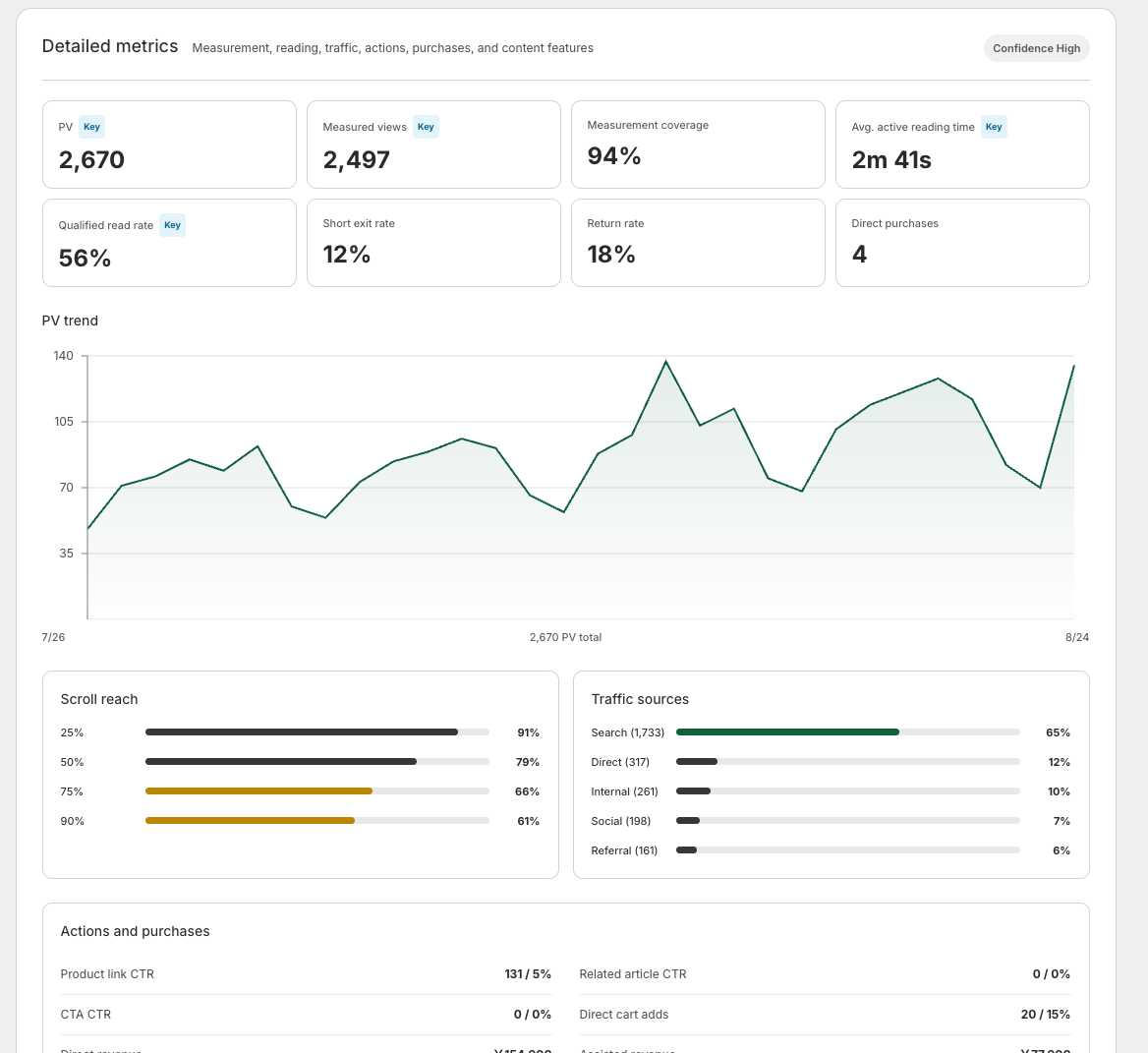
Distinguish low activity from missing measurement
| Situation | What to inspect |
|---|---|
| Recently published | Days included in the reporting period |
| Few page views | Whether readers have a route to the post |
| Views but little reading data | Completed measurements and coverage |
| Data previously appeared | Theme or tracking-setting changes |
A content rewrite is not a remedy for missing tracking. Use the analytics troubleshooting guide when the measurement setup needs inspection.
Some corrections should not wait
Fix incorrect prices, broken links and overflowing images when you find them. Those do not require a performance experiment. Claims about the effect of a headline or structural change need enough evidence and suitable comparison conditions.
Use the waiting period to verify accuracy and usability, rather than treating it as a reason to ignore the article.
Set the next review and its questions
Record publication, edits and traffic campaigns. At the next review, inspect counts and coverage before interpreting rates. There is no single page-view threshold that makes every conclusion reliable. Deferring a judgment when the evidence is insufficient is part of sound improvement work.
When very few people reach the post at all, the traffic plan comes first. See Shopify blog marketing.
Read the detailed steps in the user guide
Related reading: Look beyond page views to understand blog performance